

Call Blocker: Spam & Blacklist 1.6
Glad Appvestor
November 22, 2026
34.3 MB
1.6
call.blocker.caller.id.blacklist
RELATED APPS






SCREENSHOTS
DESCRIPTION
Stop unwanted calls with Call Blocker: Spam & Blacklist APK
If you are tired of robocalls, scam calls, and telemarketers, Call Blocker: Spam & Blacklist is designed to help you regain control. Developed by Glad Appvestor, this application filters incoming communication so your phone only rings for the people you actually want to talk to. It is built for anyone who wants a quieter, more manageable phone experience without technical complexity. By using the Call Blocker: Spam & Blacklist APK, you can ensure your daily routine remains free from constant interruptions caused by unknown or malicious callers.
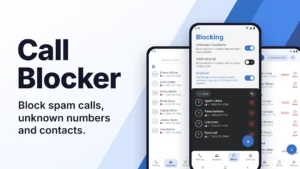
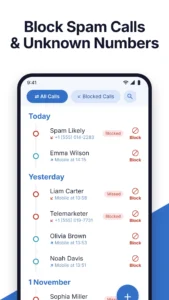
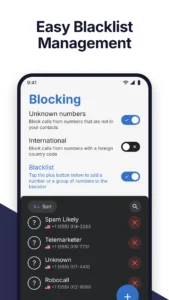
The app provides a reliable way to silence unwanted callers. You can block specific numbers permanently, ensuring they stay on your blacklist. Every blocked attempt is logged, allowing you to review who tried to reach you at your convenience. If you prefer to only hear from people in your address book, you can enable a setting to automatically block all unknown numbers. This is a highly effective way to filter out anyone who is not already a contact on your device.
Key features for call management
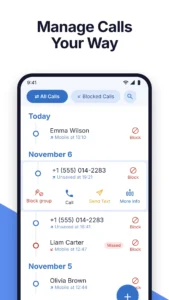
Call Blocker: Spam & Blacklist includes several tools to help you identify and manage incoming traffic. The Caller ID feature shows you who is calling before you pick up, helping you decide whether to answer or decline. You can also block international numbers that use specific country codes with a single switch. For persistent spammers who use multiple numbers, the app allows you to block entire groups that start with the same digits. This granular control ensures that you can stop robocallers who frequently rotate their contact numbers to bypass standard filters.
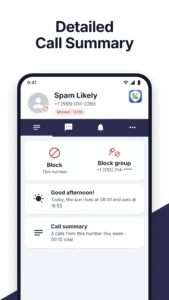
After each call, you receive a detailed summary. This screen lets you quickly block the number, return the call, or send a message. This makes it easy to handle your communication needs alongside other tools like Telegram for your messaging or Google Chrome: Fast & Secure for your web browsing. The interface is intentionally simple, avoiding technical jargon to ensure it is accessible to all users. Whether you are managing personal or professional calls, the Call Blocker: Spam & Blacklist APK provides a clear, clutter-free environment for your phone management.
Getting started with the app
To begin, download and install the app. Upon first launch, the app will request various permissions to function effectively. These include access to your contacts to verify known callers, your phone state to intercept incoming calls, and your call logs to display your history. It also requires overlay permissions to show the caller ID window while your phone is ringing. These permissions are necessary to ensure the app can properly identify and filter incoming calls without delay.
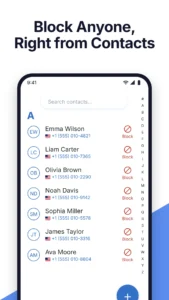
The app uses foreground services to ensure it stays active and can process calls in real-time. Because it is a free app, it includes advertisements, which require network access permissions to load content. You can manage your blacklist directly from the app dashboard, adding numbers from your existing contacts or by manually entering them. The application is designed to be lightweight, ensuring it does not consume excessive system resources while running in the background.
Quick facts
Strengths and limitations
Strengths:
- Simple and clean user interface for all ages.
- Effective tools for blocking specific numbers and groups.
- Real-time caller identification for unknown numbers.
- Easy management of international and unknown calls.
Limitations:
- Contains advertisements to support the free model.
- Requires several system permissions to provide accurate call filtering.
Who should use this app?
This app is ideal for users who receive frequent spam calls and want a simple solution to silence them. It is particularly well-suited for seniors or those who want an uncomplicated tool that works without complex configuration. If you need advanced features like encrypted messaging or a full-featured web browser, you should look at other apps, but for blocking calls, this is a dedicated choice.
Is the app free to use?
Yes, Call Blocker: Spam & Blacklist is free to download and use, though it is supported by advertisements.
Does it work offline?
While the core call blocking functions work on your device, some features like caller identification may require an active internet connection.
Can I block entire groups of numbers?
Yes, the app allows you to block groups of numbers that share the same starting digits, which is useful for filtering out robocallers who rotate their numbers.
