


RELATED APPS






SCREENSHOTS

DESCRIPTION
Enjoy Classic Card Action with Callbreak – Offline Card Games
Callbreak – Offline Card Games brings the classic 4-player contract trick-taking experience directly to your mobile device. Developed by SNG Games, this title is designed for users who want to enjoy high-quality card play without needing an internet connection. Whether you are at home or traveling, you can access this popular game anytime.
The app stands out because it utilizes artificial intelligence for its opponents. The developer trained their AI agent 4 million times using reinforcement learning and neural networks. This results in a challenging experience where the computer opponent has a 63% win rate against human players. If you enjoy games like Spades or Bid Whist, Callbreak – Offline Card Games is a great choice for sharpening your skills.
Features of this Card Challenge
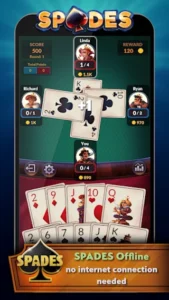
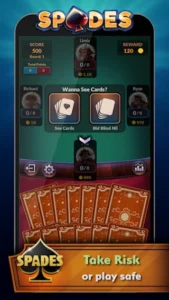
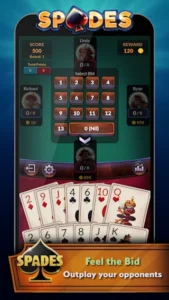
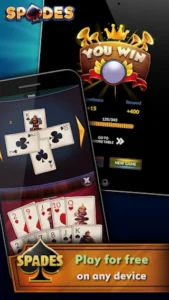
The core of this game is its offline functionality. You do not need a Wi-Fi connection to start a match, making it a reliable option for offline entertainment. The artificial intelligence provides a consistent challenge, ensuring that you face smart opponents in every round. The graphics are designed to be classy and clean, helping you focus on your strategy during each trick.
This app also serves as a practical application of machine learning research. By playing, you are interacting with an agent trained through unsupervised learning. If you are looking for other card experiences, you might also enjoy Poker Heat™ Texas Holdem Poker or the classic Pusoy Dos ZingPlay – card game. These alternatives offer different styles of play for card game fans.
Installation and Permissions
You can install the Callbreak – Offline Card Games APK by downloading it to your device and following the standard installation prompts. The app requires several permissions to function, including access to network and Wi-Fi state to manage its background services. It also requests read and write external storage access, which is used for saving game data.
Additional permissions like vibration control and wake lock are used to keep your device active and provide feedback during gameplay. Because the app supports ad-based revenue, it uses identifiers like the Google Advertising ID to serve content. Always review these permissions during the installation process to understand how the app interacts with your device.
Strengths and Limitations
Strengths:
- Works completely offline without Wi-Fi.
- High-quality AI opponents trained through machine learning.
- Classic 4-player gameplay with clean graphics.
Limitations:
- The game includes ads.
- Requires several device permissions for operation.
Who Should Play
This app is ideal for players who love contract trick-taking games and want a reliable offline experience. It is perfect if you want to test your skills against advanced AI. However, if you prefer social online multiplayer modes or dislike games that feature ads, you may want to look elsewhere.
Is Callbreak – Offline Card Games free?
Yes, the game is free to play.
Do I need an internet connection?
No, you can play this game offline anywhere without needing Wi-Fi.
How does the AI work?
The AI was trained 4 million times using unsupervised learning algorithms as part of a research project on neural networks.
APP TRAILER
