


Google Health (Fitbit) 5.12.1.health-mobile-1104141583-1017635139
Google LLC
November 22, 2026
67.8 MB
5.12.1.health-mobile-1104141583-1017635139
com.fitbit.FitbitMobile
RELATED APPS






SCREENSHOTS
DESCRIPTION
Getting Started with the Google Health (Fitbit) APK
To begin using Google Health (Fitbit), download the latest Google Health (Fitbit) APK and install it on your device. Upon first launch, the app requires a series of permissions to function correctly. Because it tracks complex health metrics, it requests access to your location, body sensors, and physical activity data. It also needs permission to connect to Bluetooth devices, such as your watch or heart rate monitors, and to send notifications regarding your health milestones. The app also uses permissions for phone calls, contacts, and calendar access to provide a comprehensive view of your daily life alongside your health metrics.
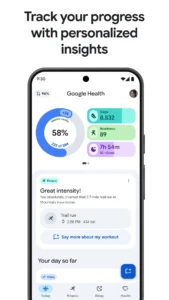
The app integrates with your existing accounts to sync data across devices. You may find that using Google Chrome: Fast & Secure helps manage your online account settings during the initial setup process. Once configured, the app acts as a central hub for your fitness, sleep, and overall wellness data, allowing you to view trends and track progress toward your goals. By keeping all your data in one place, you maintain a complete view of your wellness journey. The application is designed to be a proactive partner in your health, requiring these permissions to ensure that the data it collects is accurate and timely for your analysis.
Core Features and AI Coaching
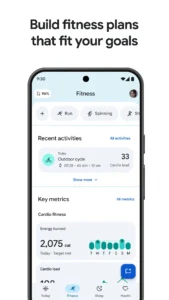
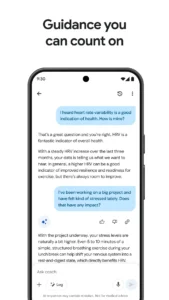
Google Health (Fitbit) utilizes AI, built with Gemini, to provide personalized guidance. The AI fitness coach designs workout plans based on your specific goals, such as building muscle, improving cardio, or losing weight. By sharing your preferences and daily routines, you receive custom workout recommendations that evolve as you progress. These features are designed to help you stay on track toward your milestones on your own terms. The integration of Gemini allows the coach to answer follow-up questions, providing a deeper understanding of the health insights you receive throughout the day.
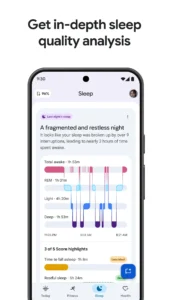
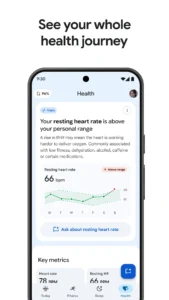
Sleep tracking is another central component. The app analyzes your nightly sleep stages and identifies long-term trends to help you improve your rest. You can set personalized sleep schedules, receive bedtime reminders, and access mindfulness exercises. For those interested in photography or documenting their physical transformation, tools like GCam: Google Camera can be useful for capturing progress photos to store alongside your metrics. The app also includes women’s health features for tracking menstrual cycles to understand how each phase affects your daily routine. By logging metrics like nutrition, hydration, and exercise, you get a holistic view of your health status 24/7.
Quick Facts
Strengths and Limitations
Strengths:
- Comprehensive tracking of fitness, sleep, and medical data in one location.
- AI-powered personalized coaching for workouts and recovery using Gemini.
- Privacy-focused controls that keep your health information secure.
- Integration with various devices like Pixel Watch and other health tracking apps.
Limitations:
- Some advanced features are locked behind a separate Google Health Premium subscription.
- The app requires extensive permissions to provide full functionality.
- Certain features, such as medical record integration, are only available in select countries.
- Requires a consistent internet or Wi-Fi connection for full synchronization.
Who Should Use This App
This app is ideal for users who want a unified view of their health data, including those who already own a Fitbit or Pixel Watch. Google Health (Fitbit) offers a platform for those who want data-driven insights and proactive guidance from an AI coach. If you prefer a simple pedometer without extensive permissions or account syncing, this may be more complex than you need.
Frequently Asked Questions
Is Google Health (Fitbit) free to use?
Yes, the app is free to download and use. However, some advanced features require a separate Google Health Premium subscription.
Does the app work offline?
While the app can log data locally, many features require a Wi-Fi or internet connection to sync your metrics and provide AI-generated insights.
What Android version is required?
The specific minimum Android version is not provided, but the app is compatible with most modern Android devices capable of running the latest version of the Google Health software.
APP TRAILER
