


Microsoft Excel: Spreadsheets 16.0.20708.20010
Microsoft Corporation
November 23, 2026
293.0 MB
16.0.20708.20010
com.microsoft.office.excel
RELATED APPS






SCREENSHOTS
DESCRIPTION
How can you manage data and finances on your mobile device?
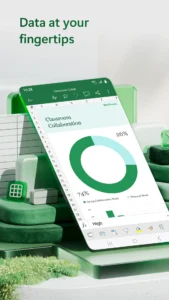
Microsoft Excel: Spreadsheets is a powerful tool by Microsoft Corporation that brings comprehensive data management to your Android device. Whether you are creating budgets, performing financial analysis, or tracking personal expenses, this application provides the necessary features to handle complex spreadsheets on the go. With over 1 billion installs, it stands as a standard for mobile productivity.
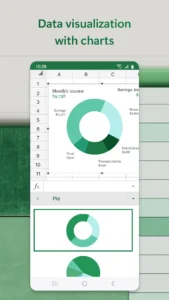
The app allows you to create charts, manage project plans, and use familiar formulae for calculations. You can easily visualize data through charts and pivot tables, making it simple to digest information quickly. Microsoft Excel: Spreadsheets also includes AI assistance with Copilot, which helps you summarize data, highlight trends, and generate tables from raw information using simple prompts.
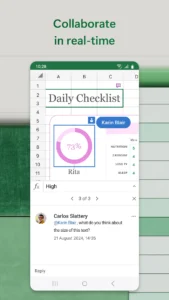
Collaborating with others is straightforward. You can share your files with a few taps, inviting others to view, edit, or add comments to your work. If you need to discuss your data with a team, you might also use Google Meet to host meetings and share your screen. When you need advanced AI assistance for broader queries, you can look into Bing: Chat with AI & GPT-4 for additional support.
What features does this spreadsheet app provide?
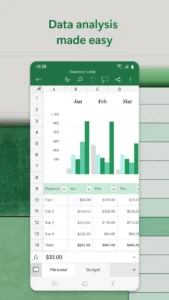
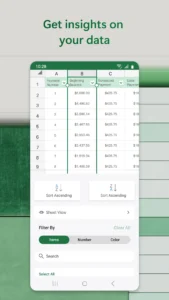
- Data Analysis Tools: Use built-in sorting and filtering to organize large datasets and bring information to life with various chart types.
- Budget and Expense Tracking: Utilize ready-made templates to plan your spending across different categories and track your financial health.
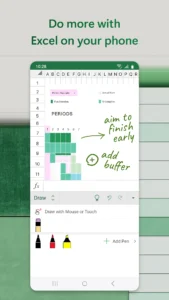
- Flexible Editing: Modify your documents from anywhere, including annotating charts or writing equations using the draw tab on touch-enabled devices.
- AI Assistance: Leverage Copilot to get intelligent recommendations for forecasting and to generate charts from complex data sets.
How to get started
To begin using Microsoft Excel: Spreadsheets, download the APK and ensure your device has at least 1 GB of RAM. Upon opening the app, you will need to sign in with a free Microsoft account if your device screen is smaller than 10.1 inches. The app requests several permissions to function correctly, including access to storage for saving files, network state to sync data, and camera access for scanning documents.
Quick Facts
Strengths and Limitations
Strengths:
- Highly familiar interface for those who use desktop versions.
- Robust set of templates for accounting and budgeting.
- Integrated AI assistance for data summarization.
Limitations:
- Requires a Microsoft 365 subscription for the full experience.
- The app size is relatively large at 293.0 MB.
- Requires sign-in for creating or editing documents on mobile devices.
Who should install this app?
This app is ideal for professionals, students, and anyone who needs to maintain spreadsheets while traveling. If you rely on Microsoft Excel: Spreadsheets for your daily work, installing it on your phone ensures you are always productive. However, if you only need a basic calculator or a simple note-taking app, this tool might be more than you require.
Is the app free to use?
Yes, the app is free to download and use. However, some advanced features require a qualifying Microsoft 365 subscription.
Does it work offline?
Yes, you can edit and manage your work offline, and your changes will sync once you are back online.
Can I use it on any Android device?
The app requires 1 GB of RAM or more. Additionally, to create or edit documents, you must sign in with a free Microsoft account on devices with screens smaller than 10.1 inches.
