


Vibe by Mistral (ex-Le Chat) 2.19.1
Mistral AI
November 23, 2026
174.8 MB
2.19.1
Android 7.0
ai.mistral.chat
RELATED APPS






SCREENSHOTS
DESCRIPTION
What is the Vibe by Mistral (ex-Le Chat) APK?
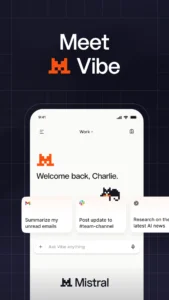
Are you looking for an intelligent assistant that handles complex work on your phone? Vibe by Mistral (formerly known as Le Chat) is an AI agent designed to manage long-horizon tasks by utilizing your existing knowledge and tools. Developed by Mistral AI, this application aims to think through difficult problems, draft solutions, and deliver finished results directly from your Android device. When you install the Vibe by Mistral (ex-Le Chat) APK, you gain access to a platform that functions as a centralized hub for your digital workflow, helping you manage information-heavy projects while you are on the go.
How Does the Vibe by Mistral (ex-Le Chat) APK Work?
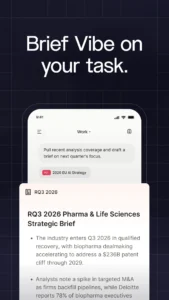
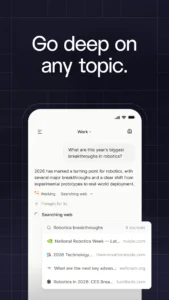
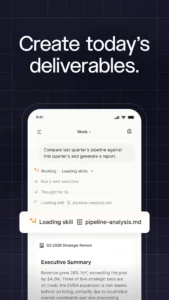
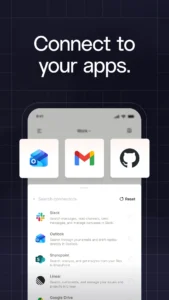
The application acts as a bridge between your scattered information and your professional goals. You can use Vibe by Mistral to catch up on emails, calendar events, and chat messages in a single run. It performs deep research across the web and your internal documents, providing you with analysis that includes specific sources. Additionally, the app can analyze spreadsheets to identify patterns, anomalies, and key signals within your data, which is useful for professionals who need quick insights. If you need to draft reports or company announcements, the tool uses your internal context to generate professional content efficiently.
To handle team communication alongside your AI tasks, you might also consider Google Meet for your video conferencing needs. If you need to organize the files you share with your AI agents, MediaFire is an excellent tool for managing your cloud storage and backups.
Getting Started and Permissions
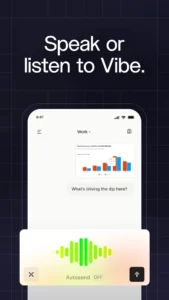
To begin using the app, download the latest version and ensure your device runs Android 7.0 or higher. During installation, the app requests several permissions to function correctly. It requires access to your microphone and audio settings for voice interaction, as well as camera access for specific features. It also uses storage permissions to read your files and network access to connect with the AI services. Furthermore, the app requires various permissions to handle system notifications, device wake locks, and Bluetooth connectivity for hardware integration.
Strengths and Limitations
- Strengths: Capable of deep research and spreadsheet analysis. It integrates various sources like email, calendar, and internal docs.
- Limitations: The app requires multiple permissions for full functionality. While the base service is free, there is a Pro tier for complex reasoning tasks.
- Performance Note: The app is a large download at 174.8 MB, so ensure you have sufficient space on your device before starting the installation process.
- Connectivity: Because the AI models process information remotely, you must have an active internet connection to receive results or perform complex queries.
Who Should Install This App?
Vibe by Mistral is ideal for professionals and power users who need an AI agent to handle information-heavy tasks on the go. If you frequently find yourself searching through multiple apps to find data or drafting documents from scattered notes, this tool provides a helpful solution. Users who need a dedicated tool for complex reasoning will find the Pro tier features particularly useful for their daily workflow.
Is Vibe by Mistral free?
Yes, the app is free to use for quick answers and simple everyday tasks. A Pro tier is available for users who require deeper reasoning and complex work capabilities.
Does it work offline?
No, the app requires a stable internet connection to perform research and process information through its AI models.
Which Android version do I need?
You need a device running Android 7.0 or higher to install and run the latest version of the app.
