

Mirror App - Beauty Mirror 1.02.48.1120
November 22, 2026
22.8 MB
1.02.48.1120
mirrorapp.lightmirror.beautymirror.makeupmirror
SCREENSHOTS


DESCRIPTION
How to use the Mirror App – Beauty Mirror APK
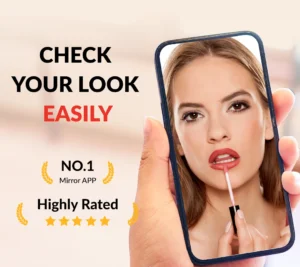
Have you ever needed to check your appearance when you did not have a compact mirror nearby? Mirror App – Beauty Mirror by Dairy App & Notes & Audio Editor & Voice Recorder turns your smartphone into a high-definition tool for grooming, makeup, or shaving. This Mirror App – Beauty Mirror APK provides a full-screen reflection that is easier to use than a standard camera application. It is a reliable solution for anyone who needs to check their look while on the go. With over 5 million installs, it is a trusted choice for many users.
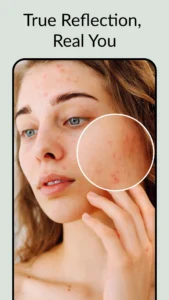
This Mirror App – Beauty Mirror is designed to act like a real mirror. It offers a true reflection without unwanted filters, allowing you to see yourself clearly. Because it is optimized for mirror scenes, you can easily control the view with one hand, which is helpful when you are applying lipstick or adjusting your hairstyle. The interface is clean and user-friendly, ensuring that you can access your reflection with a single tap. The app also features various decorative frames to make your experience more enjoyable.
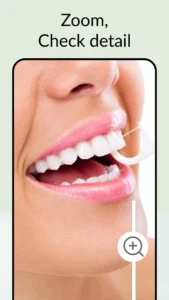
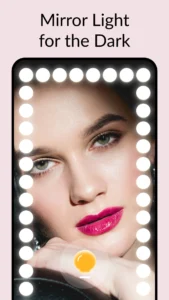
The app includes a built-in light feature, which is helpful for checking your face in dim environments. Instead of using a harsh camera flash, you can use the natural-looking mirror light to see details clearly. You can even customize the light shapes to suit your preference. If you need to focus on a specific detail, the app supports zooming in and out using simple on-screen drag bars. You can also freeze the image on your screen to inspect your look more closely and save it for later. This makes it an excellent tool for precision grooming tasks.
To get started, simply install the app from the store. Upon launching, the app will request access to your device camera to provide the reflection. Other permissions, such as access to network state, internet, and storage, are used to support ad services and save your frozen images. For those who need to organize their daily schedule, you might also find the Calendar Planner – Agenda App useful for managing tasks. The app is lightweight, with a file size of 22.8 MB, making it quick to install on your Android device.
Mirror App – Beauty Mirror stands out for its user-friendly interface. It removes the need to carry a physical compact mirror in your bag. Whether you are shaving or doing makeup, this utility provides a reliable experience on your Android device. It is a practical choice for those who want a dedicated tool for their daily grooming needs. The app receives regular updates, with the latest version available as of November 2026, ensuring continued functionality for your daily routine.
Strengths and Limitations
- High-definition reflection with manual zoom and brightness controls.
- Includes a mirror light for dark environments and image freezing.
- Variety of mirror frames to customize your experience.
- The app is free to use but contains advertisements.
- Requires several permissions, including camera and storage access.
- Does not function without the necessary camera permission.
Frequently Asked Questions
Is Mirror App – Beauty Mirror free?
Yes, it is a free mirror app for Android. It includes ads to support the development of the service.
Can I use this mirror in the dark?
Yes, the app includes a dedicated mirror light feature that works in dim environments, allowing you to see your reflection clearly.
Does the app support zooming?
Yes, you can use the drag bars on the main screen to zoom in and out to view specific details of your appearance, such as when applying makeup.
