

Calendar Planner - Agenda App 2.07.40.1111
November 22, 2026
91.1 MB
2.07.40.1111
calendar.agenda.calendarplanner.agendaplanner
RELATED APPS






SCREENSHOTS
DESCRIPTION
Stay Organized with Calendar Planner – Agenda App APK
If you struggle to keep track of your daily tasks, meetings, and important life events, you are not alone. Calendar Planner – Agenda App is designed to act as your personal assistant. By centralizing your business and personal schedules in one interface, it helps you manage your time effectively. Whether you need to track holidays, set reminders for anniversaries, or organize your work day, this tool provides a clear structure for your time. Getting the Calendar Planner – Agenda App APK is the first step toward a more structured, stress-free routine.
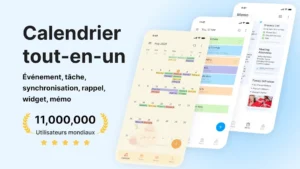
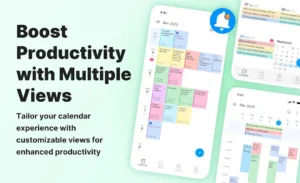
This application by Dairy App & Notes & Audio Editor & Voice Recorder brings all your existing calendars together in one unified location. It supports syncing with Google, local calendars, Outlook, and iCloud, allowing you to view your data from different sources in one place. If you rely on Google Meet for your professional calls, having a synced agenda is essential for staying on top of your busy schedule. Calendar Planner – Agenda App offers a flexible viewing experience, letting you toggle between monthly, weekly, daily, and list views to suit your specific planning style. You can even drag events to manage your daily calendar entries with ease.
Key Features for Better Productivity
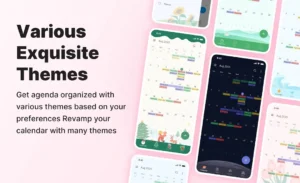
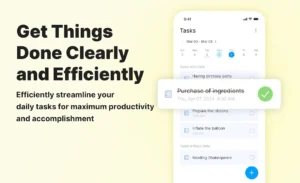
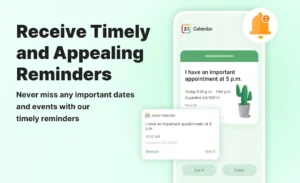
The app focuses on simplicity and speed, allowing you to create new appointments in just two steps. You can customize the look of your schedule with various theme colors, making it much easier to distinguish between different types of tasks or priorities. The system also includes a reliable reminder and alarm feature to ensure you never miss a deadline, meeting, or special occasion. This level of customization ensures the Calendar Planner – Agenda App APK meets your specific visual preferences while helping you stay focused on your goals.
Beyond basic scheduling, this Calendar Planner – Agenda App allows for detailed event management. You can attach media files, add specific locations, and take notes directly within your events. If you need to keep your documents safe while managing your schedule, you might consider using MediaFire to store related files. The app also supports Wear OS watches, ensuring your agenda is always accessible right on your wrist. It even includes special markers for birthdays to help you remember important celebrations throughout the year.
Getting Started and Permissions
To begin, download the Calendar Planner – Agenda App and grant the necessary permissions. The app requires access to your calendar and contacts to import existing events and invitees. It also requests internet access for syncing and uses notification permissions to alert you about upcoming tasks. Because the app uses alarms and foreground services, it may ask to ignore battery optimizations to run reliably in the background. Other permissions include storage access for media attachments, record audio for notes, and NFC for specific system functions. These permissions allow the app to function as a comprehensive, all-in-one planner for your mobile device.
Strengths and Limitations
Strengths:
- Syncs with multiple calendar providers including iCloud, Outlook, and Google.
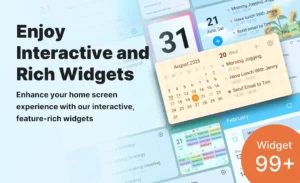
- Versatile widget support for quick access to your daily agenda.
- Allows media attachments and notes within calendar entries.
- Supports Wear OS devices for on-the-go planning.
- Simple interface with multiple theme colors for better readability.
Limitations:
- The app is free but contains advertisements.
- Requires numerous permissions, including contact, storage, and calendar access to function fully.
Who Should Install It?
This app is ideal for users who manage multiple calendars and need a centralized hub for work and personal life. It is especially helpful for people who prefer visual planning tools with color-coded events and flexible widgets. If you prefer a minimalist, offline-only tool, this might be more complex than you require.
Frequently Asked Questions
Is Calendar Planner – Agenda App free to use?
Yes, it is a free calendar application that includes advertisements to support development.
Does it work offline?
The app stores data locally, but an active internet connection is required to sync with other accounts like Google or iCloud.
Can I import my Apple calendar?
Yes, the app supports importing Apple calendar events through iCloud, allowing you to view and manage them directly on your Android device.
Which Android version is required?
The developer has not specified a minimum Android version for this application.
