

PDF Reader - PDF Editor 1.7.2
Simple Design Ltd.
November 22, 2026
53.7 MB
1.7.2
Android 6.0
pdf.reader.pdfviewer.pdfeditor
RELATED APPS






SCREENSHOTS
DESCRIPTION
How can you manage your documents using the PDF Reader – PDF Editor APK?
If you are looking for a simple and easy-to-use document tool, PDF Reader – PDF Editor is a strong choice. When you download the PDF Reader – PDF Editor APK, you get a comprehensive office suite developed by Simple Design Ltd. that allows you to scan, read, and edit various file types directly on your phone. Whether you need to handle business documents, receipts, or personal notes, this app organizes your workflow in one convenient place.
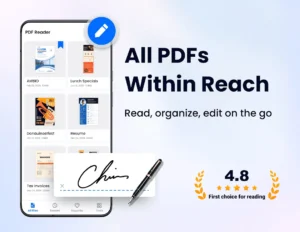
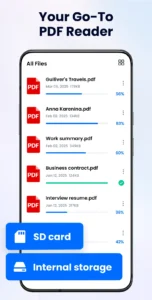
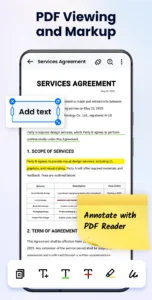
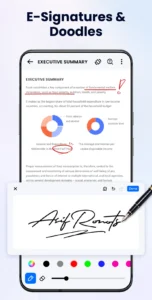
The app automatically scans your device to find and list all your PDF, Word, Excel, PPT, and TXT files. You can quickly search for specific documents or text within them using keywords. Beyond basic viewing, the PDF Reader – PDF Editor supports advanced features like highlighting text, creating formatted notes, and adding e-signatures. You can even open encrypted or password-protected files, ensuring that your sensitive information remains accessible only to you. This PDF Reader – PDF Editor APK provides a versatile environment for both work and study.
Getting started is easy. Once you install the application, it will request permissions to access your storage. This is necessary for the app to scan your device for documents and manage them. Android 11 and above users must grant the MANAGE_EXTERNAL_STORAGE permission to enable full functionality. The app also uses camera access if you choose to scan physical images into PDF format. You might also want to try Google Meet to share your documents during online meetings, or use MediaFire to back up your important files securely.
Core Features for Document Handling
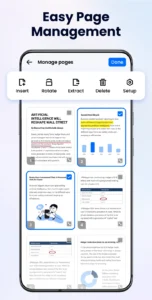
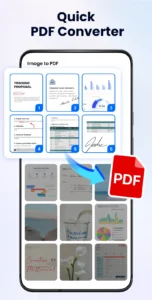
The PDF Reader – PDF Editor offers several tools to help you manage your files. You can insert, rotate, extract, or delete pages within a PDF, and even add or remove text. The app also includes conversion tools, such as image-to-PDF, text-to-PDF, and the ability to compress files to reduce their size. If you need to collaborate, you can easily share files with others or print them directly from your phone. Recent updates have added PDF to Word and Word to PDF conversion options for even more flexibility.
The viewer is designed for comfort, offering light and dark mode, as well as horizontal and vertical scrolling modes. Features like Reflow mode make reading on smaller screens easier. For organization, you can create multi-level folders, rename files, or add them to your favorites for quick access. There is even a recycle bin feature that allows for one-tap recovery of deleted files. The app keeps recently opened files in order for your quick reference at any time.
Strengths and Limitations
- Supports a wide range of formats including PDF, Word, Excel, PPT, and TXT.
- Includes practical editing tools like e-signatures, text annotation, and page manipulation.
- Auto-scan feature keeps all your office files organized in one location.
- Offers convenient file conversion tools like image-to-PDF and compression.
- The app contains advertisements.
- Requires several permissions, including extensive storage management access.
Who should use this app?
This app is ideal for students and professionals who need to view and edit documents on the go. It is a great solution if you want to replace multiple apps with a single, lightweight tool. If you rarely work with office documents or prefer an app with no advertisements, you may want to look elsewhere.
Is the app free to use?
Yes, PDF Reader – PDF Editor is a free reader app that includes various tools for document management and editing.
Does it work offline?
The app can scan and manage files stored locally on your device, allowing you to read and edit your documents even without an active internet connection.
Which Android versions are supported?
The app supports a broad range of devices, though users on Android 11 and above must grant specific storage permissions for full functionality.
