


PS Remote Play for TV tv.9.5.0
PlayStation Mobile Inc.
November 22, 2026
tv.9.5.0
com.playstation.remoteplay.tv
RELATED APPS




SCREENSHOTS
DESCRIPTION
Why Struggle With Small Screens? Use the PS Remote Play for TV APK
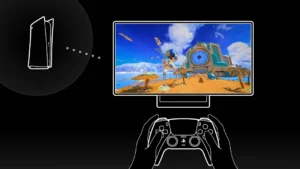
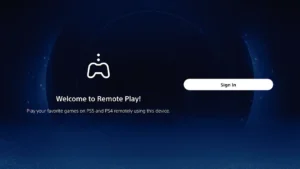
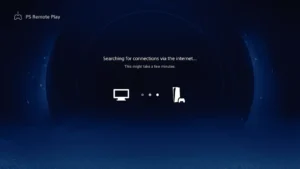
If you own a PlayStation console but want to enjoy your library in a different room, PS Remote Play for TV solves your problem. Developed by PlayStation Mobile Inc., this application lets you stream your PS5 or PS4 games directly to your Android-based television or streaming device. By downloading the PS Remote Play for TV APK, you can turn any compatible display into a gaming hub instead of being tethered to your console. It is a practical solution for anyone who wants more flexibility in where they play their favorite titles throughout their home, whether you are in the living room or another space with a compatible television.
How the Remote Play Experience Works
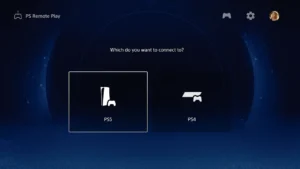
The app acts as a bridge between your console and your TV. By connecting your PS5 or PS4 over a stable network, you can access your games remotely without needing to move the hardware. You will need a DualSense, DUALSHOCK 4, or a DualSense Edge controller to navigate the menus and play games. The app is designed to work best when your TV is set to low latency game mode, which helps reduce input lag during fast-paced action. Beyond this, you might also find PlayHub Plus: Movies & Series to be a useful addition to your media library for secondary viewing when you want to take a break from your console titles.
Requirements for Smooth Gameplay
To use PS Remote Play for TV, you need a high-quality internet connection. A wired ethernet connection or a 5 GHz Wi-Fi network is recommended to keep your stream clear and responsive. The app is optimized for Android TV OS 12 and later, including devices like the Google TV Streamer and Chromecast with Google TV. Some users might explore content via Kawaii Animes when they want a break from intense gaming sessions. Keep in mind that some games may not be compatible, and performance depends heavily on the signal strength of your local network environment. Always ensure your console has the latest system software installed to maintain a secure and stable connection to your TV.
Quick Facts
Strengths and Limitations
Strengths:
- Allows gaming on multiple screens in your home.
- Supports official PlayStation controllers for a familiar feel.
- Works with modern Android TV OS devices and streaming hardware.
- Official support for various PlayStation controller models including the DualSense Edge on newer OS versions.
Limitations:
- Requires a fast, stable network to avoid input lag.
- Only compatible with specific Android TV OS versions.
- May not work properly on unverified devices.
- Controller vibration may differ from console use.
- Some games may not be fully compatible with the remote streaming experience.
Who Should Use This App
If you have a PS4 or PS5 and a compatible Android TV, this app is a great choice. It is perfect for gamers who share a console with family members or want to play in a bedroom or office. However, if you have a slow internet connection or an older Android version, you may encounter connectivity issues that make the app difficult to use. Always check your TV settings for game mode to ensure the best performance and minimal lag. For the best results, verify that your specific device is supported by checking official Sony documentation.
Is the PS Remote Play for TV APK free?
Yes, the app is free to download and use with your existing PlayStation account and console hardware.
Does the app work offline?
No, you need a fast and stable internet connection to stream games from your console to your TV.
Which Android TV versions are supported?
The app requires Android TV OS 12 or later for most features, with additional support for the DualSense Edge controller on Android TV OS 14 or later.
