

XBOX 2611.1.5
Microsoft Corporation
November 22, 2026
107.7 MB
2611.1.5
Android 8.0
com.microsoft.xboxone.smartglass
RELATED APPS





SCREENSHOTS
DESCRIPTION
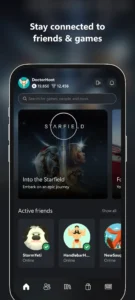
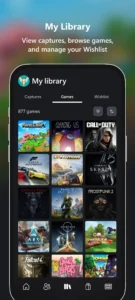
The XBOX mobile app by Microsoft Corporation helps you stay connected to your gaming life. It allows you to manage your console, chat with friends, and purchase games directly from your Android device. Whether you are at home or away, you can keep track of your library and social interactions through this official companion tool. By downloading the XBOX APK, you turn your phone into a powerful remote for your gaming setup.
Getting Started With the XBOX APK
You can install the XBOX APK by downloading it to any device running Android 8.0 or higher. Once installed, log in with your Microsoft account to sync your console and profile data. The app requires several permissions to function correctly, including:
- Camera and microphone access for voice chat and capturing media.
- Bluetooth and network access to connect with your gaming devices.
- Storage permissions to manage your saved game clips and screenshots.
- Notification access to keep you informed about game invites and achievements.
The app must be granted these permissions during the setup process to ensure all features perform correctly. Once active, it connects your mobile device to your console and PC gaming ecosystem.
Key Features for Gamers
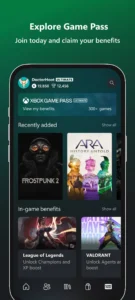
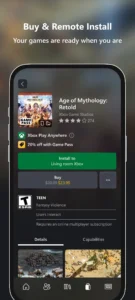
The app provides a central hub for your gaming activity. You can browse the Game Pass library and queue titles for installation on your console remotely. If you find a game you want to play, you can purchase it directly within the app. PlayHub Plus: Movies & Series is a separate tool you might use for entertainment when you are not playing games. The app keeps you updated with achievements and invite notifications, ensuring you never miss a session with your party.
- Remote installation of games directly to your console.
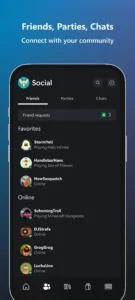
- Voice and text chat with friends on console or PC.
- Sharing of game clips and screenshots to social networks.
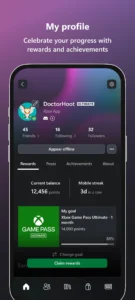
- Tracking and redemption of Microsoft Rewards points.
Social features are a major part of the experience. You can communicate with friends through voice and text chat, regardless of whether they are playing on a console or a PC. Sharing your gaming moments is simple, as the app allows you to upload game clips and screenshots to your preferred social networks. Kawaii Animes offers a dedicated space for streaming if you want to explore other media. You can also track and redeem your Rewards points directly from your phone.
Strengths and Limitations
The app offers a comprehensive set of tools for managing your XBOX ecosystem. It is free to use and provides a direct line to your console’s remote features. However, it requires a significant number of system permissions to operate, which may be a concern for some users. Additionally, you must be logged into your Microsoft account to access the core functions.
Who Should Use This App?
This application is ideal for existing console owners who want to stay connected to their gaming community. It is a helpful tool for managing game installs and staying in touch with friends while on the go. If you do not own a supported console or do not use the Microsoft gaming ecosystem, you may not find much use for the features provided.
Is the XBOX app free to download?
Yes, the app is free to download and use on Android devices.
Can I use the app to chat with friends on PC?
Yes, the app supports voice and text chat with friends who are using either a console or a PC.
Does the app work offline?
No, you need an active network connection to sync your profile, manage game queues, and communicate with friends.
Which Android version is required?
You need a device running Android 8.0 or higher to install the XBOX app.
