

XBOX beta 2611.2.4
Microsoft Corporation
November 22, 2026
108.1 MB
2611.2.4
Android 8.0
com.microsoft.xboxone.smartglass.beta
RELATED APPS




SCREENSHOTS
DESCRIPTION
Getting Started with XBOX beta
The XBOX beta app acts as a bridge between your mobile device and your gaming console. To begin, download the installation file and ensure your device runs Android 8.0 or higher. Because this is a pre-release version, you may encounter different performance behaviors compared to the final commercial release. After installation, you will sign in with your Microsoft account to sync your gaming profile, friends list, and achievements across your phone, PC, and console.
This application requires several permissions to function correctly. It uses camera and microphone access for features like voice chat and recording media, while Bluetooth and Wi-Fi permissions allow for device discovery and remote connectivity. These permissions are necessary to ensure XBOX beta can communicate effectively with your hardware and provide a unified social experience.
Core Features for Players
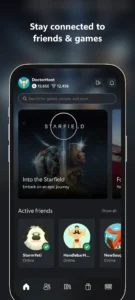
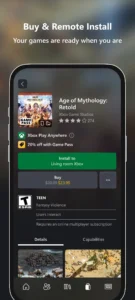
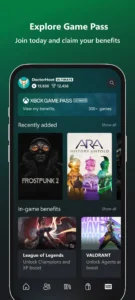
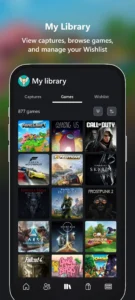
Once you are set up, you gain direct control over your gaming library from your phone. You can purchase new titles directly within the interface and manage your Game Pass subscription. One of the most useful features allows you to queue game installations remotely, so your console is ready to play by the time you get home.
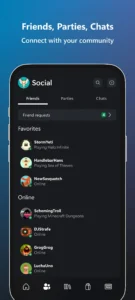
Social connectivity remains a primary focus of the app. You can participate in voice and text chats with your friends regardless of whether they are playing on a PC or a console. Additionally, you can share your game clips and screenshots to your preferred social networks without needing to transfer them to another device first. You can also stream movies and series on other platforms if you need entertainment beyond your gaming console.
Managing Your Gaming Profile
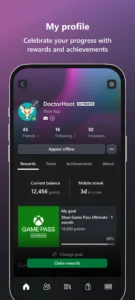
The XBOX beta interface keeps you updated on your gaming progress. You can view your achievements and those of your friends, receive game invite notifications, and track your messages in real time. The app also serves as a hub for your rewards, allowing you to track, claim, and redeem points without navigating through console menus.
If you prefer other types of media, such as watching anime content, you can manage your mobile entertainment setup alongside your gaming tools. The app is designed to keep you connected to your social circle even when you are away from your primary gaming station.
Quick Facts
Strengths and Limitations
Strengths:
- Remote installation and game management for your console.
- Cross-platform voice and text chat with friends.
- Direct access to Game Pass and reward point tracking.
- Ability to share game clips and screenshots directly from mobile.
Limitations:
- This is pre-release software and may contain bugs.
- Requires a Microsoft account for full functionality.
- Extensive permission requirements for social and hardware features.
Frequently Asked Questions
Is XBOX beta free to use?
Yes, the app is free to download and use, though some content within the app, such as game purchases or Game Pass subscriptions, requires separate payments.
Does this app work offline?
No, the app requires an active internet connection to sync your profile, chat with friends, and manage your console remotely.
Which Android version is required?
You must have Android 8.0 or higher installed on your device to run this software.
