


YouTube Kids 11.46.543
Google LLC
November 26, 2026
41.4 MB
11.46.543
com.google.android.apps.youtube.kids
RELATED APPS




SCREENSHOTS
DESCRIPTION
Is YouTube Kids right for your family?
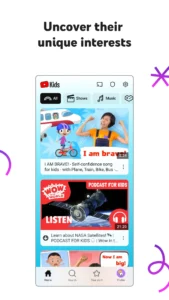
YouTube Kids is a dedicated app developed by Google LLC designed to provide a safe and controlled environment for children to watch videos. It offers a variety of content tailored to different age groups, from preschool learning to DIY crafts and gaming for older children. By using YouTube Kids, parents can curate what their children see and help them explore their interests safely.
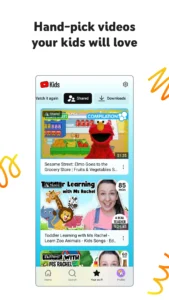
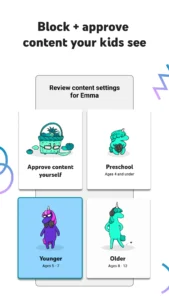
The app features several modes to match your child’s developmental stage. You can choose Preschool mode for younger children, Younger mode for cartoons and songs, or Older mode for more varied content. For parents who want complete control, the Approved Content Only mode allows you to hand-pick every channel and video your child can access. If you are looking for other ways to enjoy PlayHub Plus: Movies & Series, you might find this app offers a different, more focused experience for the younger members of your household.
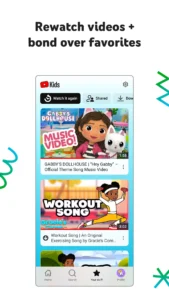
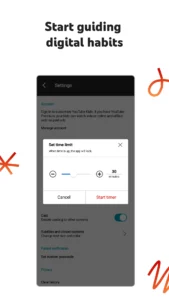
Managing screen time is simple with the built-in timer feature. You can set a limit that freezes the app once the time is up, encouraging your children to take a break. You can also find your children’s favorite videos in the Watch it Again tab. For those who prefer to browse a broader play store app selection, this tool serves as a specialized niche for younger viewers.
Customizing the viewing experience
Parental controls are central to the YouTube Kids experience. You can block specific channels or videos that you do not want your children to watch. If you come across inappropriate content, the app allows you to flag it for review by the team. While the service aims to be family-friendly, it is important to note that children may see commercial content from creators that are not necessarily paid advertisements. You can also explore Kawaii Animes if your older children are interested in different styles of animation.
To get started, simply download the YouTube Kids APK and complete the parental setup. The app requires several permissions to function correctly, including access to network states, Wi-Fi information, and storage to manage downloaded content. It also requests access to the microphone for recording audio and biometric data for secure access. These permissions ensure that the app performs as intended on your Android device.
Quick Facts
Strengths and Limitations
Strengths:
- Customizable age-based content filters.
- Built-in screen time management tools.
- Easy-to-use parental blocking and flagging system.
- Dedicated environment for children.
Limitations:
- Contains ads as part of its free model.
- Requires initial parental setup and configuration.
- Some commercial content from creators may appear.
Is the app free to use?
Yes, the app is free to download and use, though it includes advertisements.
Can I control what my child watches?
Yes, you can use the Approved Content Only mode to hand-pick specific channels and videos, or block content you find unsuitable.
Does it require a Google account?
You can sign in with a Google account for additional features, but the app can also be used without signing in, subject to the YouTube Kids Privacy Notice.
APP TRAILER
