

Audio Video Mp3 Converter 1.2.1
Google Commerce Ltd
November 20, 2026
56.6 MB
1.2.1
com.hitrolab.mp3converter.videotomp3
RELATED APPS





SCREENSHOTS
DESCRIPTION
Get the Audio Video Mp3 Converter APK for Fast Media Extraction
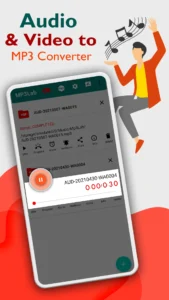
Audio Video Mp3 Converter is a versatile tool designed to turn your video files into high-quality audio. Developed by Google Commerce Ltd, this application simplifies the process of extracting sound from your favorite clips. When you download the Audio Video Mp3 Converter APK, you gain a powerful utility that handles media transformation directly on your device. Whether you need to save a song from a video or create a custom sound for your phone, the app provides an accessible interface to handle these tasks quickly. It is a reliable solution for anyone wanting to manage their local media library effectively.
The app supports a wide range of formats, including Mp4, MKV, FLV, and AVI for video, while outputting to formats like Mp3, WAV, AAC, Ogg, and Opus. You can rely on Audio Video Mp3 Converter to handle batch processing, allowing you to convert multiple files simultaneously without worrying about duration limits. This ensures that you can process entire libraries or long recordings with minimal effort. The software is designed to be efficient, providing progress updates and estimated completion times for every conversion task you start.
Key Features for Media Management
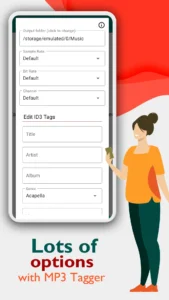
Beyond simple conversion, the app includes powerful editing tools. You can trim audio files, delete specific sections, or even add silence to your clips. The built-in metadata editor allows you to update tags such as song title, artist, album, and year, ensuring your music collection remains organized. Additionally, you can adjust technical settings like bitrate, frequency, and channels to achieve the exact sound quality you desire. This level of control makes the app a comprehensive choice for users who demand high fidelity in their extracted files.
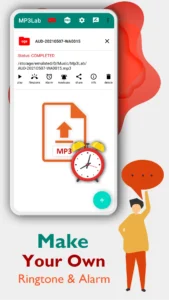
For individuals looking to customize their phone, this tool functions as a ringtone maker. You can save your converted audio directly to your device and set it as a ringtone, notification sound, or alarm. Users who focus on managing their local music library might also find Meulify to be a useful companion for playback. The app also supports advanced audio needs, such as VBR and CBR bitrate options, providing professional-level control over your audio files.
Getting Started and Permissions
To begin using Audio Video Mp3 Converter, simply download the file and follow the on-screen installation prompts. The app requires several permissions to function correctly, such as access to your storage for saving converted files and network state to manage ad-supported content. It also uses foreground services to ensure that background conversions continue without interruption. Users who want to fine-tune their device audio output can explore tools like Sound Assistant to offer further customization options for your smartphone experience.
Technical Specifications
Strengths and Limitations
- Fast conversion speeds for video to audio extraction.
- Supports batch processing and various audio formats.
- Includes built-in metadata editor and audio cutter.
- Provides both CBR and VBR bitrate settings.
- Contains ads within the free version.
- Requires several device permissions for background services and storage.
Who Should Use This App
This app is ideal for users who frequently need to extract audio from video files or want to create custom ringtones and notification sounds. It is also well-suited for users who need to manage their own music metadata or perform quick audio cuts. If you are looking for a dedicated music streaming platform without any conversion tools, you may want to look elsewhere.
Frequently Asked Questions
Is the app free to use?
Yes, Audio Video Mp3 Converter is free to use, though it is supported by advertisements.
Can I convert multiple files at once?
Yes, the app supports batch conversion, allowing you to process several audio or video files at the same time.
Does it work offline?
The core conversion features function on your device, though the app includes permissions for network state which may be used for ads.
