

AudioLab Audio Cutter & Editor 1.3.33
Google Commerce Ltd
November 20, 2026
66.3 MB
1.3.33
com.hitrolab.audioeditor
RELATED APPS


SCREENSHOTS
DESCRIPTION
Do you need a professional audio studio on your Android device?
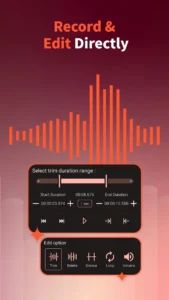
AudioLab Audio Cutter & Editor APK provides a complete suite of sound manipulation tools in one mobile package. Developed by Google Commerce Ltd, this application allows you to record, edit, and convert audio files without needing a desktop computer. Whether you are a podcaster, a student, or someone who simply wants to create custom ringtones, AudioLab Audio Cutter & Editor simplifies the process. This tool is designed to turn your raw audio files into polished creations with just a few taps, making it a versatile companion for all your mobile audio needs.
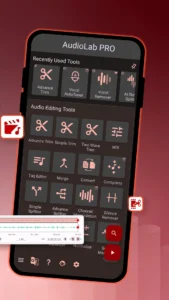
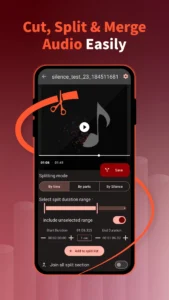
The app includes powerful features for both basic tasks and advanced audio engineering. You can trim, split, and merge tracks with precision. The interface is designed to be intuitive, ensuring that even if you are not an audio professional, you can achieve high-quality results. If you are looking for other ways to manage your library, you might enjoy using Meulify for a different approach to your audio collection.
Master Your Sound with AudioLab Audio Cutter & Editor APK
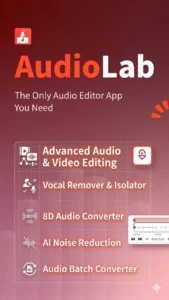
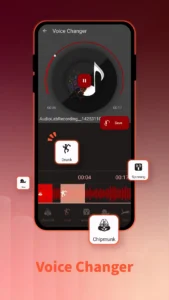
The latest version of AudioLab Audio Cutter & Editor introduces advanced AI-powered tools that set it apart from basic editors. You can now perform vocal removal, multi-stem separation, and noise reduction on your files. The app also features audio transcription, audio cloning, and video-to-audio extraction, which makes it easier to pull sound from various media sources. These tools are complemented by traditional editing functions like speed, pitch, and tempo adjustment. Whether you are removing echo or looking for a specific key and BPM, these AI features provide professional-grade control directly on your smartphone.
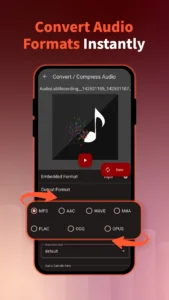
If you need to manage your device’s audio output settings, you can check out Sound Assistant to supplement your experience. With the built-in recorder, you can capture high-quality voice notes, music, and meetings directly to your phone. The app also supports various file formats including MP3, WAV, AAC, FLAC, and M4A, allowing for flexible conversion and compression. The recent updates have significantly improved performance and optimized the user interface for both portrait and landscape orientations, ensuring a smooth workflow on any device.
Getting Started and Permissions
To begin, install the app and grant the necessary permissions. The app requires access to your storage to read audio and video files. It also requests microphone access for recording, Bluetooth connectivity for external devices, and network state permissions to handle ad services and data syncing. The app uses foreground services to maintain stable performance during recording and media playback tasks. These permissions ensure that the app can interact with your hardware effectively to deliver high-quality audio output.
Quick Facts
Strengths and Limitations
Strengths:
- Comprehensive suite of editing, recording, and conversion tools in one place.
- Advanced AI features like stem separation, noise removal, and audio cloning.
- Optimized interface that works well in both portrait and landscape modes.
- Supports a wide range of common audio formats for easy conversion.
Limitations:
- The app is supported by ads.
- Requires several permissions to function across its full range of features.
Who Should Use This App?
This app is ideal for users who need a versatile tool for audio production on the go. If you frequently trim songs for ringtones, record lectures, or mix audio tracks, AudioLab Audio Cutter & Editor is a reliable choice. However, if you only need a basic music player without editing capabilities, this might be more complex than what you require.
Is AudioLab free to use?
Yes, the app is free to use, though it is supported by advertisements.
Does it work offline?
Yes, most of the editing and recording functions work offline, though some services may require network access.
Can I convert video to audio?
Yes, the app supports extracting audio from video files and offers multiple extraction options.
