


Musicolet Music Player 6.14.1 build540
Google Commerce Ltd
November 20, 2026
34.0 MB
6.14.1 build540
in.krosbits.musicolet
RELATED APPS



SCREENSHOTS
DESCRIPTION
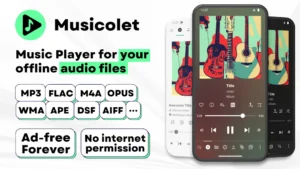
If you struggle with music apps that force streaming, constant ads, or complicated interfaces, the Musicolet Music Player APK offers a different approach. Developed by Google Commerce Ltd, this application focuses entirely on your local audio files. It is a dedicated tool for users who want to manage their own music library stored on internal memory or SD cards without needing an internet connection. Because it does not require network access, you can listen to your collection with complete privacy. Whether you have a massive collection of flac files or a simple list of mp3s, this player handles them all without tracking your data. This app is designed for people who own their music and want total control over how they listen.
Features of the Musicolet Music Player APK
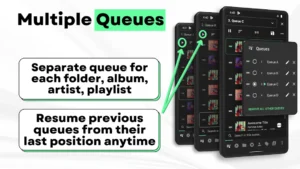
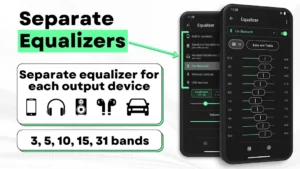
This player stands out by allowing multiple queues, meaning you can keep separate playback lists for different folders, albums, artists, or playlists. You can even resume previous queues from their last position anytime. The interface is built for speed, placing all essential components like your albums, artists, and playlists in a single row for 1-tap access. You can move, copy, or rename folders directly from within the app. For those who like fine-tuning, the powerful equalizer provides separate presets for your speakers, headphones, and Bluetooth devices. The Musicolet Music Player also supports gapless playback and earphone controls, where clicks allow you to pause, play, or fast-forward tracks. By using specific click patterns, you can even trigger fast-forward or rewind commands from your wired or wireless headphones.
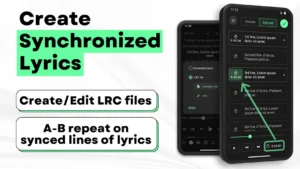
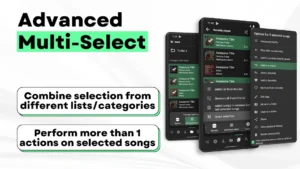
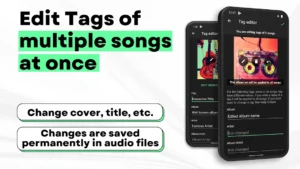
Beyond basic playback, the app includes a tag editor that lets you modify metadata and album art for multiple songs at once. You can also create synchronized lyrics or use LRC files to follow along with your music. For those who enjoy listening before sleep, the built-in timer allows you to stop playback after a specific amount of time or after a set number of songs. If you prefer using other tools, you might also look at Meulify for different organizational features. You can even add shortcuts for any album, artist, or playlist directly to your home screen for quick access. The app also supports stunning widgets and a lock screen interface that includes controls, queue access, and lyrics display.
Getting Started and Permissions
Once you install the Musicolet Music Player, the app will scan your storage for supported formats like mp3, m4a, flac, and more. It requires permissions such as READ_MEDIA_AUDIO to access your music files and BLUETOOTH_CONNECT for wireless headphones. The app also uses FOREGROUND_SERVICE to keep your music playing smoothly while you use other apps. Additionally, it requests SCHEDULE_EXACT_ALARM for features like sleep timers and WRITE_SETTINGS for customizing your audio environment. The app also utilizes POST_NOTIFICATIONS to provide playback controls on your lock screen and notification shade. For users who need advanced audio adjustments, Sound Assistant can be a useful companion tool. The app also includes backup and restore features, allowing you to save your settings and play counts to ensure your preferences remain intact across different devices.
Strengths and Limitations
- Completely ad-free and offline experience for all users.
- Supports extensive audio formats including alac, dsf, and opus.
- Includes Android Auto support for easy vehicle integration.
- Advanced tag editor for batch metadata and album art updates.
- Flexible queue management for folders and playlists.
- Does not stream or download music from the internet.
- Manual setup required for lyrics and lrc files.
- Does not fetch lyrics automatically from online sources.
Frequently Asked Questions
Is Musicolet Music Player free?
Yes, the app is free and does not include any advertisements. It is ad-free forever for all users.
Does it work offline?
Yes, it is designed specifically for local files and does not use internet permissions. It cannot stream or download new music.
Can I use it with my car?
Yes, the app features Android Auto support, allowing you to control your music, playlists, and queues through your car’s interface.
Which Android version is required?
The application is compatible with a wide range of Android devices, though you should ensure your device has sufficient storage for your local music library.
