


Music Player & MP3 Player 4.4.1.189
Google Commerce Ltd
November 20, 2026
53.5 MB
4.4.1.189
musicplayer.musicapps.music.mp3player
RELATED APPS





SCREENSHOTS
DESCRIPTION
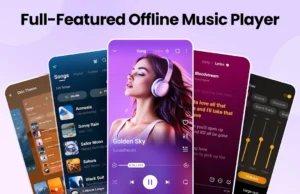
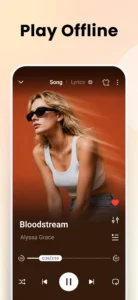
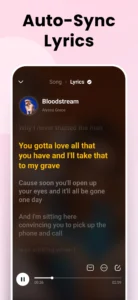
Installing Music Player & MP3 Player allows you to organize and play all your local audio tracks in one place. Built by Google Commerce Ltd, this application acts as an offline audio player for sound files stored on your phone. It delivers audio playback without needing an active internet connection. Downloading the Music Player & MP3 Player APK gives you instant access to your offline library, custom equalizer settings, and playback controls. Whether you are at home or exercising outdoors, this tool keeps your music library organized and ready to play.
How to Set Up Music Player & MP3 Player APK
Setting up the application takes only a few moments after installing the Music Player & MP3 Player APK. When you open the app for the first time, it asks for storage permissions like READ_MEDIA_AUDIO so it can scan your internal memory and build your library. Granting POST_NOTIFICATIONS enables media playback controls directly on your lock screen and notification shade. The app also uses FOREGROUND_SERVICE_MEDIA_PLAYBACK to keep your audio running smoothly in the background while you use other apps.
If you want to set custom ringtones from the app, it requests permission to modify system settings (WRITE_SETTINGS). Other permissions such as VIBRATE and WAKE_LOCK ensure that your device responds appropriately during playback. If you are exploring streaming alternatives like Meulify, note that this app focuses exclusively on local files rather than online catalog streams. This approach ensures you never use mobile data while enjoying your favorite saved albums or songs during your daily commute or workout.
Equalizer Controls and Audio Formats
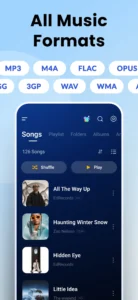
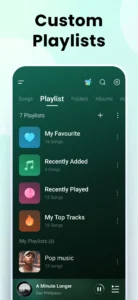
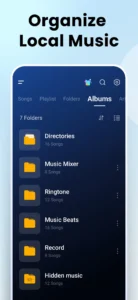
Once your tracks are loaded, the player lets you organize songs by album, artist, folder, or custom playlist. It supports audio formats beyond basic MP3 files, including WAV, FLAC, AAC, MIDI, and APE. If you like fine-tuning your audio output beyond default options or tools like Sound Assistant, you can use the built-in equalizer featuring bass boost and reverb controls. This level of control helps you get the best sound quality possible from your headphones or external speakers.
You can also control playback with shuffle and loop modes, select custom background themes to match your style, or activate a sleep timer to pause playback automatically when you go to bed. The app also includes a convenient widget for your home screen, allowing you to pause, play, or skip tracks without opening the full interface.
Monthly Recaps and Stats
The Music Player & MP3 Player latest version includes a monthly music recap feature. The app tracks your total listening time, top played tracks, favorite artists, and frequent albums. As you hit new listening milestones, the app unlocks badges and generates summary cards you can save or share with friends. It serves as a great way to look back at your musical habits over the past month.
Quick Specifications
Strengths and Limitations
Strengths:
- High user rating of 4.8/5 across millions of user reviews.
- Plays offline formats including FLAC, AAC, WAV, and MP3.
- Built-in equalizer with bass boost and reverb effects.
- Includes handy extra tools like sleep timers and ringtone management.
- Personalization options with colorful themes and custom widgets.
Limitations:
- Displays ads within the free user interface.
- Does not download or stream music from the internet.
- Requires local storage access permissions to detect media files.
Who Should Install This App?
This app is designed for users with large collections of downloaded music who need a flexible player for Android devices. Getting the Music Player & MP3 Player download is ideal if you want full audio equalizer controls without using mobile data. You should skip this software if you want to stream music online or search for new songs to download, as it only plays files stored directly on your phone.
Frequently Asked Questions
Is Music Player & MP3 Player free to use?
Yes, the app is free to download and use. It includes ad placements to support the free distribution model.
Can I download music from the internet with this app?
No. The application is strictly an offline media player for local files and does not feature a music downloader.
What audio formats are supported?
It supports MP3, WAV, FLAC, AAC, MIDI, APE, and several other standard offline audio formats.
