


Blogger 3.1.13
Google LLC
November 22, 2026
30.0 MB
3.1.13
Android 7.0
com.google.android.apps.blogger
RELATED APPS


SCREENSHOTS
DESCRIPTION
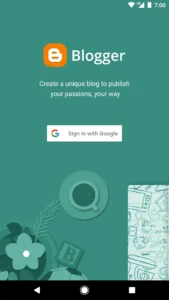
If you have a passion for writing and want to share your thoughts with the world, the Blogger app provides a direct way to manage your content from your phone. When you download the Blogger APK, you gain access to an official tool developed by Google Commerce Ltd. This application is designed for creators who need to publish updates or edit their existing entries while away from a computer. Whether you are a casual writer or a dedicated hobbyist, it helps you maintain your online presence on the move. The latest release introduces simple sign-up steps, allowing you to start blogging immediately and manage your blog’s basic information on-the-go.
Manage Your Content with the Blogger APK
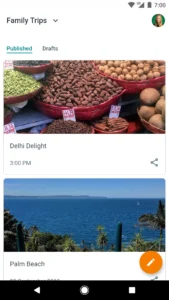
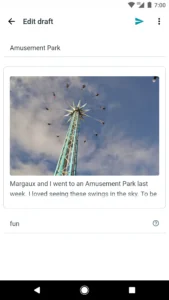
The Blogger application simplifies the process of updating your blog. You can compose new posts, save them as drafts, or hit publish immediately if your entry is ready for readers. If you discover a typo in an older article, you can edit existing posts directly through the interface. You can also view a clear list of your saved and published content, making it easier to keep track of your work over time. The app is built to handle the essentials of content management without requiring a desktop computer. By using this mobile blogging tool, you ensure that your audience always stays up to date with your latest ideas.
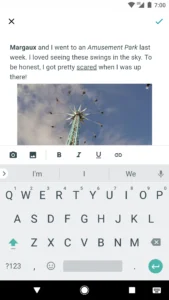
Visuals play a big role in modern blogging, and this app makes media integration simple. You can embed images from your phone gallery or take a new picture using the camera. Adding labels to your posts also helps you organize your content by topic, ensuring your readers find what they need. If you manage multiple blogs, you can switch between accounts easily. You might also want to explore VK: Social Network & Messenger for different ways to stay connected with your social circles.
To get started, simply install the Blogger APK on your device. The app requires several permissions to function correctly. It needs camera access for capturing photos and storage permissions to read or write external files. It also uses internet access and network state monitoring to sync your posts to the web, along with account management permissions to securely sign you into your Google profile. The app also requests permissions to get package size and read service data to ensure system compatibility. For those who want more social interaction, Plato: Games & Group Chats is another social option available for your Android device. Please ensure you have sufficient storage space for the 30.0 MB file size before beginning the installation process.
Key Features and Capabilities
- Create and save new posts as drafts for later publishing.
- Edit existing articles directly from your mobile device.
- Add images from your gallery or capture them with your camera.
- Organize your content using custom post labels to help readers find topics.
- Switch between multiple blogs or accounts if you manage more than one site.
Strengths and Limitations
- Simple interface for quick mobile posting and updates.
- Easy image embedding from your camera or gallery.
- Ability to manage multiple blogs within one app.
- Requires several permissions for account and storage management.
- Limited to basic post editing and creation features.
Who Should Install It?
This app is ideal for current users of the platform who want to write, edit, or check their blog status without needing a laptop. It is not designed for users looking to perform advanced blog customization or complex site design, as those tasks are better handled via a web browser.
Frequently Asked Questions
Is it free?
Yes, Blogger is free to use.
Does it work offline?
You can compose and save posts as drafts while offline, but you will need an active internet connection to publish them or sync changes to your account.
Which Android version is required?
The official system requirements are not specified in the current release data for this version.
