


Vibes - AI Video Creation 35.0.0.1.106
Meta Platforms, Inc.
November 22, 2026
110.0 MB
35.0.0.1.106
Android 10
com.facebook.vibes
RELATED APPS






SCREENSHOTS
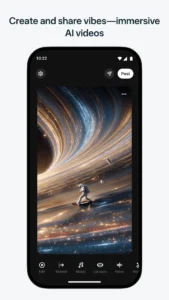
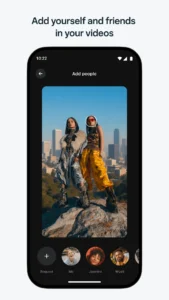

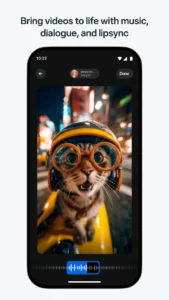
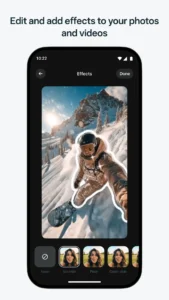
DESCRIPTION
If you want to share creative content with friends, Vibes – AI Video Creation offers a new way to build videos using artificial intelligence. Developed by Meta Platforms, Inc., this tool allows you to generate, remix, and share short-form clips featuring yourself or your friends. You can turn simple ideas into video content directly from your Android device using the Vibes – AI Video Creation APK. It acts as a bridge between your imagination and social expression.
Understanding the Vibes – AI Video Creation APK
The app focuses on ease of use by letting you describe what you want to create or by uploading your own media. Once you have your base content, you can use built-in tools to change backgrounds, apply mood presets, or add special effects. Vibes – AI Video Creation also provides a lip-sync feature, which allows you to make people or pets in your videos sing along to trending songs or speak custom dialogue. With the Vibes – AI Video Creation APK, you can bring your ideas to life through advanced AI models that process your requests quickly.
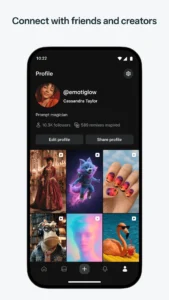
Community engagement is a core part of the experience. You can browse a feed of content created by other users to find inspiration for your own projects. If you see something you like, the remix feature lets you add your own twist by inserting yourself into the scene, changing the dialogue, or extending the current video content. You can find other social platforms like VK: Social Network & Messenger to compare community-driven features.
To get started, simply download the latest version and grant the required permissions. The app needs access to your camera and microphone to record new content, as well as storage permissions to read your media files. It also uses network and Wi-Fi state permissions to ensure your uploads and downloads work properly. Because it relies on cloud-based AI, a stable connection is vital for the creation process. If you prefer a different type of social interaction, you might check out Plato: Games & Group Chats for a group-focused experience.
Vibes – AI Video Creation requires several permissions for its features to function, including account access and device identification. Please note that some features are currently limited to specific countries and languages, and the company may roll them out to more users over time. The app is built to handle complex requests, but it is important to be aware of the data access it requires to perform these edits.
Technical Requirements and Permissions
- Requires internet access for AI generation and feed browsing.
- Requests camera, microphone, and storage access for media creation.
- Utilizes system notifications and vibration settings.
- Connects to companion profiles for watch and glass devices.
- Uses ad identifiers to support the free model.
Strengths and Limitations
- Uses advanced AI models for video generation.
- Includes creative tools like lip-sync and mood presets.
- Easy remixing of content from the community feed.
- Requires many permissions to function.
- Features are not available in all regions.
- Some features may roll out slowly over time.
Who should install this app?
This app is for people who want to experiment with AI-generated video effects and enjoy creating content with friends. It is ideal for those who like to follow trends and engage with a creative community. If you prefer a simple video player or an app that does not require access to your camera and microphone, this might not be the right choice for you.
FAQ
Is this app free to use?
Yes, the app is free to download and use.
Does it work offline?
No, the app requires an internet connection to generate AI videos and browse the community feed.
How can I report a problem?
If you encounter an issue, simply shake your phone and tap on the Submit a report button within the app.
