

Chrome Dev 160.0.8171.0
Google LLC
November 22, 2026
234.4 MB
160.0.8171.0
Android 10
com.chrome.dev
RELATED APPS






SCREENSHOTS
DESCRIPTION
What is the Chrome Dev APK?
Are you interested in testing the newest browser features before they reach the public? The Chrome Dev APK is the experimental channel of the popular web browser built by Google LLC. It allows you to explore the latest updates and provide feedback to the development team. Because this app is designed for testing, you may encounter occasional instability or rough edges while browsing the web. By using this Chrome Dev APK, you help refine the future of mobile browsing.
Key Features for Early Adopters
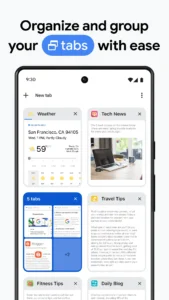
Chrome Dev provides a look at what is coming next to the standard browser experience. Users get to test new interface tweaks, performance improvements, and updated web standards before the official release. By installing this version, you contribute to the overall quality of the browser by sharing your early feedback directly with the developers.
A major benefit of this release is that you do not need to replace your current browser. You can install it alongside other channels of Chrome for Android without conflict. This makes it easy to switch between your stable daily driver and this experimental environment whenever you want to test new capabilities. If you prefer a more stable communication and browsing experience, you might also consider using Google Chrome: Fast & Secure for your primary tasks.
Getting Started and Permissions
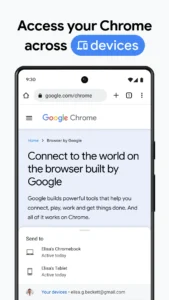
To begin, download and install the Chrome Dev APK package. Upon first launch, you may need to sign in with your Google account to sync your data. The app requires a wide range of permissions, including access to your camera, microphone, location, and storage, which are necessary for advanced web features like media playback, file uploads, and site-specific functionality. For those who need a different type of communication tool, you can check out Telegram to manage your messaging needs in a separate space.
Strengths and Limitations
- Strengths: Access to the absolute latest features, side-by-side installation with other versions, and a direct way to provide feedback to Google.
- Limitations: The app may be unstable, it includes ads, and it requires a significant number of system permissions to function.
Who Should Install This App?
This browser is perfect for developers, tech enthusiasts, and power users who enjoy living on the bleeding edge of software development. If you rely on your phone for critical tasks and require 100% stability, you should skip this version and stick to the stable release. This specific release is strictly for those who want to help improve the browser through active testing.
Frequently Asked Questions
Is Chrome Dev free?
Yes, the app is free to download and use, though it includes ads.
Does it work offline?
Like the standard version, it supports offline access to previously cached content, but it requires an internet connection for full browsing functionality.
Can I run it with other Chrome versions?
Yes, you can install it alongside other Chrome channels without any issues.
