


Clock 9.2 (998285100)
Google LLC
November 22, 2026
16.9 MB
9.2 (998285100)
com.google.android.deskclock
RELATED APPS





SCREENSHOTS
DESCRIPTION
Do you need a reliable way to manage your schedule, track intervals, or monitor time zones across the globe? The Clock app by Google Commerce Ltd offers a functional solution that combines essential timekeeping features into one interface. With over one billion installs, this Clock APK is a staple utility for users looking to organize their daily routines. You can rely on this tool to keep your day on track whether you are at home, at work, or traveling between different time zones. The app provides a consistent experience across all your Android devices.
How Does Clock APK Help With Time Management?
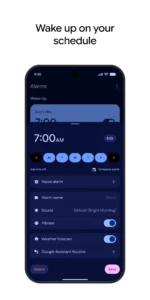
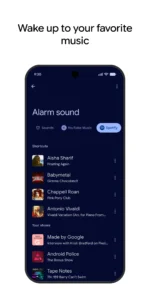
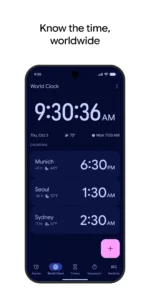
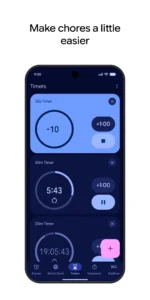
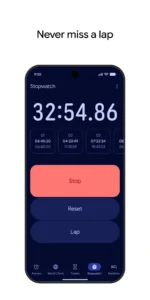
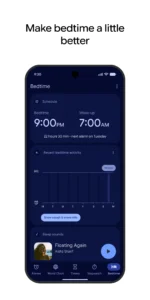
The Clock app provides a comprehensive suite of features designed to handle various time-related tasks. You can set multiple alarms, utilize precise timers, and run a stopwatch for your workout or cooking needs. The World Clock feature allows you to monitor local times in different cities, which is helpful if you communicate with people globally. Additionally, the app includes a bedtime schedule tool that helps you wind down by playing sleep sounds and showing your upcoming calendar events. For those who use wearable technology, Clock supports integration with Wear OS devices. This allows you to manage alarms and timers directly from your wrist using tiles or watch face complications. The interface follows the latest Material 3 Expressive design, ensuring the app looks consistent with modern Android standards. If you manage files alongside your schedule, you might find ZArchiver Pro Donate useful for your device organization. You can also explore Minecraft Java: PojavLauncher to expand your mobile capabilities.
Getting Started and Permissions
Installing the Clock APK is easy through the standard package installer. Once opened, the app requests several permissions to function correctly. It uses android.permission.USE_EXACT_ALARM to ensure your alarms ring precisely on time, while android.permission.READ_CALENDAR allows the app to display your upcoming events during your bedtime routine. Other permissions like android.permission.VIBRATE and android.permission.WAKE_LOCK are required to trigger notifications and wake your screen when an alarm sounds. The app also uses android.permission.INTERNET to fetch network-based time data and android.permission.READ_MEDIA_AUDIO to allow custom alarm sounds. The app also utilizes android.permission.FOREGROUND_SERVICE to keep your timers active in the background without interruption.
Strengths and Limitations
- Clean and modern Material 3 design.
- Comprehensive features including alarms, timers, and bedtime tools.
- Wear OS integration for wrist-based controls.
- Completely free to use with no hidden costs.
- Requires numerous system permissions for full functionality.
- The file size is 16.9 MB, which is notable for a basic utility.
- Some features depend on system calendar access.
Frequently Asked Questions
Is Clock free to use?
Yes, the app is completely free to use without in-app purchases or advertisements.
Can I use this app offline?
Yes, the core timekeeping functions like alarms, timers, and the stopwatch work offline.
Does it sync with my calendar?
Yes, the app can read your calendar to show upcoming events as part of your bedtime schedule.
Which Android version is required?
The developer does not specify a minimum Android version, but it is compatible with a wide range of modern Android devices.
