

Contacts 4.92.26.1020425048
Google LLC
November 22, 2026
21.6 MB
4.92.26.1020425048
com.google.android.contacts
RELATED APPS






SCREENSHOTS
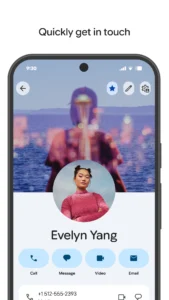
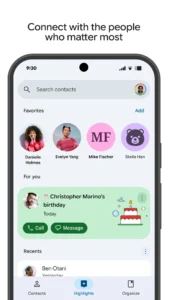
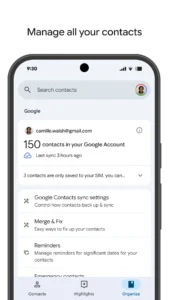
DESCRIPTION
How can you keep your address book organized using the Contacts APK?
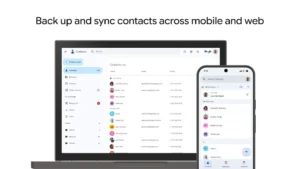
Contacts by Google Commerce Ltd is the official tool for managing your personal and professional network on Android. When you download the Contacts APK, you gain a unified way to manage your address book, allowing you to sync data across all your devices signed into the same Google account. Whether you need to store phone numbers, emails, or personal photos, this application ensures your information stays accessible whenever you change phones or use different hardware. It serves as a primary hub for your digital relationships.
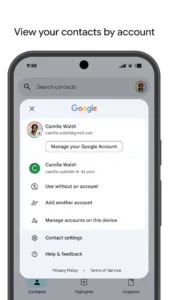
Using Contacts helps you maintain a clean list of people. The app includes a feature to merge duplicate entries, which prevents clutter in your address book. You can view your entries by specific accounts, such as separating your work contacts from your personal ones. If you accidentally delete someone, you can recover contacts from the trash folder for up to 30 days after deletion. This backup mechanism ensures your data is never permanently lost due to a simple mistake.
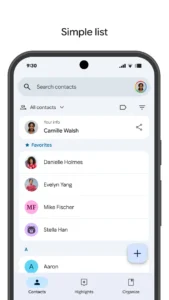
Staying in touch with your network is simpler with built-in highlights. The app shows upcoming birthdays and anniversaries, and you can set custom notifications to ensure you never miss these important dates. You might also consider using Telegram if you need to coordinate with contacts through a secure messaging platform. The interface provides quick access to your recently added or viewed contacts, saving you time during your day. It is designed to be the only address book you need on your phone.
What features does this app offer?
The latest version allows you to edit your own calling card information, including your name and profile picture, in fewer steps than before. You can also share these calling cards as a VCF file with compatible devices. The contact editor has been refined to make selecting existing contacts for detail updates much smoother. The application also provides intelligent suggestions for merging duplicate contacts and adding useful details to existing profiles.
For those using wearable technology, the app is available for Wear OS. It includes specific tiles for your favorite contacts and complications, providing quick access directly from your wrist. If you are browsing the web to find new people or information, you may want to use Google Chrome: Fast & Secure to keep your online activities organized alongside your communication tools. The Contacts APK is built to handle large volumes of data while keeping the interface responsive.
How do you get started with the Contacts APK?
To install Contacts, ensure your device meets the standard requirements for modern Google applications. Upon launching, the app requests several permissions to function correctly. It needs access to your contacts, call logs, and phone numbers to display them accurately. It also requires internet access and account management permissions to sync your data securely to the cloud. Other permissions, such as vibration, wake lock, and foreground services, support notification delivery and background synchronization tasks. These permissions allow the app to operate in the background so your data remains current without manual intervention.
Strengths and Limitations
Strengths:
- Automatic cloud backup and sync across devices.
- Simple interface for merging duplicate entries.
- Support for Wear OS devices.
- Ability to recover deleted contacts within 30 days.
- Clear organization of birthdays and anniversaries.
Limitations:
- Requires a Google account for full functionality.
- Extensive permission requests for deep system integration.
- File size of 21.6 MB may be significant for older devices.
Quick Facts Table
Frequently Asked Questions
Is the app free to use?
Yes, Contacts is a free application provided by Google Commerce Ltd.
Does it work offline?
You can view and edit your contacts while offline. Any changes made will sync to your Google account once your device regains an internet connection.
Can I manage work and personal contacts separately?
Yes, the app allows you to view and filter your contacts based on the account they are associated with.
