


Desktop System Intelligence
RELATED APPS






SCREENSHOTS

DESCRIPTION
Why Use Desktop System Intelligence APK?
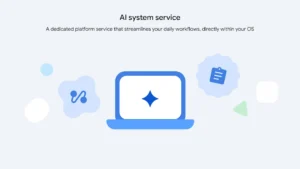
Do you want to get more out of your Googlebook experience? Desktop System Intelligence is a tool developed by Google Commerce Ltd that brings contextual awareness directly to your device. By processing information locally, it aims to make your interactions more intuitive and responsive. This application works in the background to analyze your usage patterns and provide helpful, timely suggestions without relying on cloud-based processing for every task. Many users search for the Desktop System Intelligence APK to ensure their device remains optimized for their specific habits and daily workflows.
How Does This Tool Improve Your Workflow?
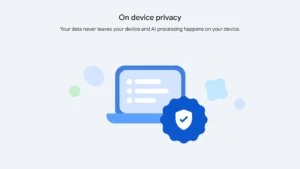
The primary goal of Desktop System Intelligence is to offer intelligence that stays on your device. By keeping data local, it maintains a focus on privacy while ensuring that your system remains aware of the context in which you are working. Many users find that this leads to a smoother experience when navigating complex tasks on their Android devices. By installing the Desktop System Intelligence APK, you allow your device to better understand your needs in real time, which helps in making your interactions feel more natural and efficient.
If you are looking for other ways to manage your device files, you might consider ZArchiver Pro Donate for advanced archive management. Similarly, if you want to run powerful software on your mobile hardware, the Minecraft Java: PojavLauncher provides a unique bridge for gaming enthusiasts. These tools, alongside Desktop System Intelligence, help you customize and improve how your device handles various operations.
Getting Started with the App
Installing the software is an easy process. Since it is provided by Google Commerce Ltd, it is designed to integrate into your existing system environment. You do not need to configure complex settings to begin seeing the benefits of its contextual awareness, as it starts working automatically once active. It is a completely free tool, meaning you can access these features without worrying about in-app purchases or subscription fees. Regular updates ensure that the system intelligence remains current with your device usage patterns.
Quick Facts
Strengths and Limitations
Strengths:
- Processes information locally on your device for better privacy.
- Provides contextually aware suggestions specifically for your Googlebook.
- Completely free to use with no hidden costs or subscription tiers.
Limitations:
- Requires a Googlebook compatible device to function.
- The utility of the app depends entirely on your specific device usage.
Who Should Install This App?
This application is ideal for users who frequently use Googlebook and want their device to feel more responsive to their habits. If you value privacy and prefer features that run locally rather than in the cloud, this tool is a great addition to your setup. However, those who do not use Googlebook or who prefer to keep their background system processes to a minimum may find it unnecessary for their daily needs.
FAQ
Is Desktop System Intelligence free to use?
Yes, the app is free to download and use.
Does this app require an internet connection?
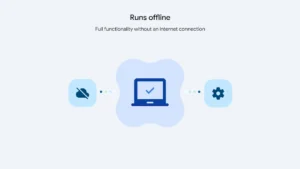
The app focuses on on-device intelligence, which means it prioritizes local processing for your privacy and speed.
Is this app safe for my device?
As a tool provided by Google Commerce Ltd, it is designed to function within the standard parameters of the Android operating system.
