


RELATED APPS



SCREENSHOTS

DESCRIPTION
How can you create unique augmented reality content using the Easy Lens by Snap Inc. APK?
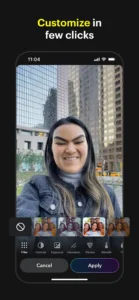
If you have ever wanted to design your own interactive effects, Easy Lens by Snap Inc. offers a creative platform for you. Developed by Snap Inc, this app helps you discover, remix, and build your own AR lenses without needing technical programming skills. The Easy Lens by Snap Inc. APK is designed for those exploring new digital art forms who want to share their creations with a broader audience.
When you use Easy Lens by Snap Inc., you gain access to a wide library of lenses ranging from funny effects to beauty filters. The app focuses on accessibility, using AI to help you build custom experiences in seconds. You can take existing lenses and remix them to suit your personal style or specific use case. This flexibility makes it a powerful tool for creators looking to reach Snapchatters and other lens enthusiasts.
What features does Easy Lens provide?
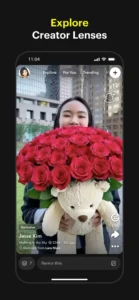
The core of the app is its ability to simplify complex AR creation. You can explore a variety of content in the updated Explore section, which serves as a gallery for finding inspiration. Once you find a lens that catches your eye, the remix feature allows you to personalize it, ensuring your output is unique. Furthermore, if you want to expand your creative toolset, you might find interest in using Photoleap: AI Photo Editor to enhance your base images before applying effects.
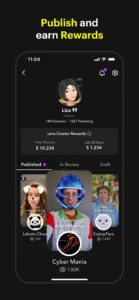
The app also supports the creation of interactive games, quizzes, and makeup looks. By leveraging AI-driven tools, the platform removes the technical barriers that often stop people from creating professional-grade AR content. After you finish your project, you can easily share your work to reach a wider community of creators. For those who are already familiar with the ecosystem, you may find utility in using Snapchat to view how these lenses appear in a social context.
Getting started with the app
To begin, install the Easy Lens by Snap Inc. APK on any device running Android 7.0 or higher. During setup, the app requests several permissions to function correctly. The camera and microphone permissions are required to capture your face and voice for lens interaction. Location access is used for localized features, while the billing permission handles any in-app purchases. Other permissions, such as network state and wake lock, ensure the app runs smoothly in the background while you create.
Strengths and limitations
- Easy-to-use AI tools for beginners.
- Large library of lenses to discover and remix.
- Full-screen playback experience.
- Requires several device permissions for full functionality.
- Contains in-app purchases.
Who should use this app?
You should install this app if you want to create digital art, AR filters, or interactive games. It is perfect for creators who want to share their work with others without learning complex coding. However, if you are looking for a standard photo editing app without AR features, you might want to skip it.
Is it free to use?
Yes, the app is free to download and use, though it does include in-app purchases.
Does it work offline?
No, the app requires an internet connection to access the Explore library and share your creations.
What Android version is required?
You need a device running Android 7.0 or higher to run Easy Lens by Snap Inc.
