

Microsoft Designer 1.2604204.7002
Microsoft Corporation
November 22, 2026
37.7 MB
1.2604204.7002
Android 9
com.microsoft.designer
RELATED APPS

SCREENSHOTS
DESCRIPTION
Getting Started with the Microsoft Designer APK
Microsoft Designer is an AI-powered design application developed by Microsoft Corporation. If you want to create images, edit photos, or build custom graphics directly from your mobile device, the Microsoft Designer APK provides a comprehensive suite of tools. To begin using the app, you need a free Microsoft account. Once you log in, you gain access to 5 GB of cloud storage to save your projects and sync them across devices.
The app requires several permissions to function properly. It needs access to your camera and media storage to import photos for editing. It also uses network state and internet permissions to generate AI content and save files to the cloud. Other permissions, such as vibration, wake lock, and foreground service, help manage notifications and background services while you work on your designs. You must also grant access to read external storage and media files to process images saved on your phone.
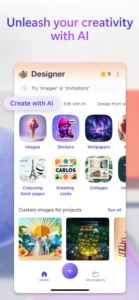
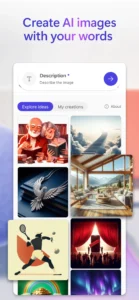
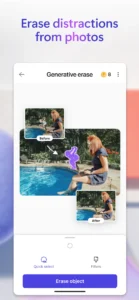
When you open the app, you can choose from various creative tasks, such as generating images from text descriptions or using AI tools to erase unwanted objects from photos. You might also want to try Photoleap: AI Photo Editor if you are looking for additional retouching options. The interface is designed to help you produce professional-looking graphics without needing advanced graphic design skills.
Key Features for Creative Projects
The core of Microsoft Designer lies in its generative AI capabilities. You can describe a scene, such as a sci-fi landscape or a surreal image, and the app will create it for you. Beyond image generation, the app offers powerful photo editing tools. You can remove backgrounds with one tap, blur backgrounds to emphasize subjects, or use the generative erase tool to remove distractions from your images.
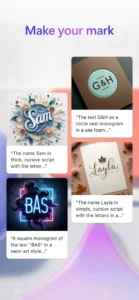
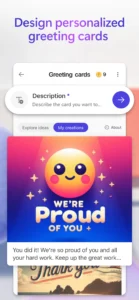
Microsoft Designer also excels at creating personalized content for daily use. You can design custom birthday cards, holiday greetings, and invitations for special events. The app allows you to create unique monograms, icons, and custom emojis that you can share on social media or messaging platforms. If you need a more conversational AI experience, consider using Bing: Chat with AI & GPT-4 for your general search and digital assistant needs.
Creative Capabilities
- Generate custom images from simple text descriptions.
- Easily erase unwanted objects with generative AI technology.
- Remove or blur backgrounds to make your subjects stand out.
- Design professional social media posts and banners for your profiles.
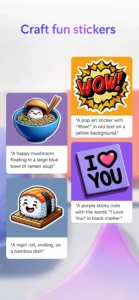
- Create personalized greeting cards, invitations, and custom stickers.
Additional Design Tools
- Design your own monograms for weddings or special events.
- Create custom coloring book pages for all ages.
- Frame your photos to turn them into shareable memories.
- Make unique emojis to express your mood in chats.
- Combine photos into custom collages with layout tools.
Quick Facts
Strengths and Limitations
The app provides a wide variety of tools in one place, making it easy to generate images and edit photos using AI. The integration with a Microsoft account ensures your work is backed up and accessible. However, the app requires an active internet connection to process AI requests, and it may not be suitable for users who prefer offline-only design software. The large number of requested permissions might also be a concern for privacy-focused users.
Who Should Install It?
This app is ideal for users who want to create social media posts, custom wallpapers, or personalized greeting cards quickly using artificial intelligence. It is well-suited for beginners who want professional results without learning complex software. You should skip this app if you do not have a Microsoft account or if you require advanced layer-based editing tools found in desktop-grade design applications.
Is Microsoft Designer free to use?
Yes, the app is free to use with a valid Microsoft account.
Does the app work offline?
No, the AI features require an internet connection to generate and edit your designs.
Which Android version is required?
You need Android 9 or higher to install and run the app.
