


Feedback
RELATED APPS






SCREENSHOTS
DESCRIPTION
Setting Up Feedback for Your Googlebook Experience
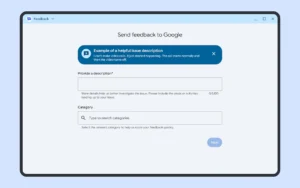
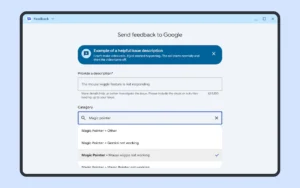
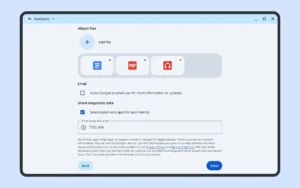
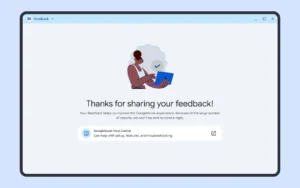
Feedback is a dedicated utility developed by Google Commerce Ltd designed specifically for the Googlebook platform. If you use Googlebook on your Android device, this app serves as your direct channel to report issues or share your thoughts with the developers. Installing Feedback ensures that you have a reliable way to communicate problems directly from your mobile environment.
How to Install and Use Feedback
Getting started with this utility is straightforward for any Android user. Once you download the Feedback APK, you can open it to begin submitting reports related to your Googlebook usage. Because this app is built to facilitate communication, it operates as a bridge between your device and the service team. If you are looking for other essential utilities, you might also find ZArchiver Pro Donate helpful for managing your files. For users who enjoy technical customization on their devices, Minecraft Java: PojavLauncher is another popular tool in the productivity and tools category.
Key Functionality
The primary purpose of this application is to streamline the reporting process. Instead of navigating complex menus on a website, you can use Feedback to provide input quickly. It is a lightweight tool that focuses on one single task: helping the Google Commerce Ltd team understand user concerns. By providing clear and concise information through this app, you help the developers identify bugs or feature requests more effectively. The interface is designed to be simple, ensuring that you spend less time reporting and more time using the services you enjoy.
Quick Facts
Strengths and Limitations
Strengths:
- Direct communication channel to the service developers.
- Simple interface that is easy to navigate.
- Completely free to download and use.
Limitations:
- The app is limited to Googlebook reporting.
- Requires an active connection to submit your reports.
Who Should Install This App
You should install this app if you are a regular user of Googlebook and want a simple way to report errors or suggest improvements. It is the official tool provided by the developers for this specific purpose. If you do not use Googlebook, or if you prefer to submit feedback through a web browser instead of a dedicated app, you may not need to install this on your device.
Is this app free to use?
Yes, the app is free to download and does not have any hidden costs.
Do I need an account to use it?
The app is intended for use with your existing Googlebook account.
Does it work offline?
No, you need an active internet connection to submit your reports to the developers.
