

Files by Google 1.13157.1011540316.0-release
Google LLC
November 22, 2026
19.9 MB
1.13157.1011540316.0-release
com.google.android.apps.nbu.files
RELATED APPS





SCREENSHOTS
DESCRIPTION
Getting Started with the Files by Google APK
Files by Google is a versatile tool from Google Commerce Ltd designed to help you organize your device storage. To begin, download the Files by Google APK and install it on your Android device. Upon opening the app, you will need to grant specific permissions to ensure it functions correctly. These include storage access to manage files, package usage stats to identify space-consuming apps, and notifications for cleaning recommendations. The app also requests permissions like biometric access to secure your private files with a PIN or pattern, and network state permissions to facilitate offline file transfers. Granting these permissions allows the app to scan your device for junk files, duplicate media, and unused applications that occupy valuable space.
Smart Storage Cleaning and Management
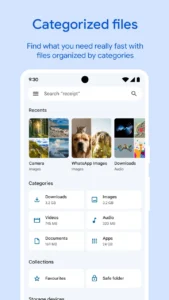
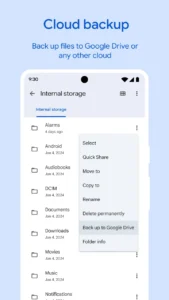
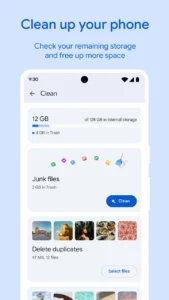
The primary function of this app is to help you free up space. It provides clear cleaning recommendations, such as identifying old photos from chat apps, removing duplicate files, and clearing your app cache. You can view how much space remains on your internal storage, SD card, or connected USB drives at a glance. By moving files to cloud storage services or external media, you can keep your device running smoothly without losing your important data. The app learns your habits and offers smarter suggestions the more you use it to manage your digital library.
Find and Organize Your Files
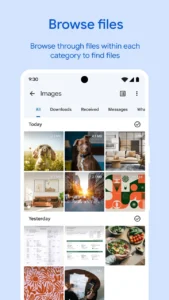
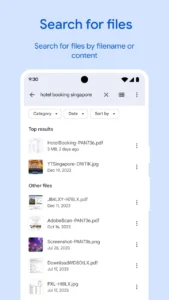
Searching for specific documents, photos, or videos is a fast process. You can browse your media by category or sort files by size to quickly spot what is taking up the most room on your phone. If you need more advanced file management, you might also look at ZArchiver Pro Donate for additional archive handling capabilities. The built-in media player allows you to listen to music or watch videos directly within the app, featuring playback speed controls, shuffle options, and other advanced playback settings. This allows you to consume your media without needing to switch to a different application.
Fast Offline Sharing
Sharing content with nearby Android or Chromebook devices is simple using the Quick Share feature. This tool allows for high-speed transfers reaching up to 480 Mbps without requiring an internet connection. Every transfer is protected by end-to-end encryption, ensuring your data remains private during the exchange. If you are interested in other specialized tools, you can explore Minecraft Java: PojavLauncher to see how different utility apps function on your phone. This sharing method is ideal for moving large files between devices when you are away from Wi-Fi or mobile data networks.
Quick Facts
Strengths and Limitations
- Strengths: Completely free with no ads, lightweight storage usage under 20 MB, and fast encrypted offline file sharing capabilities.
- Limitations: Requires many system permissions to perform its full range of storage and security tasks.
- Compatible Devices: Works on all Android devices that support standard file management APIs.
- Security: Includes a private folder feature that uses PIN or pattern locks independent of your main device lock.
Who Should Install This App
This tool is ideal if you frequently run out of storage space or need a reliable way to organize your files. It is also excellent for users who need to transfer large files to nearby devices without using mobile data. However, if you are concerned about granting extensive system-level permissions, you may want to review the permission list before proceeding.
Is Files by Google free to use?
Yes, the app is free and does not contain any advertisements.
Can I use this app without an internet connection?
Yes, you can manage your local files and share data with nearby devices using Quick Share without being connected to the internet.
Does it work on all Android versions?
The app is compatible with most modern Android devices. It is highly optimized, taking up less than 20 MB of space on your phone.
