

Google Assistant 0.1.884448652
Google LLC
November 22, 2026
2.4 MB
0.1.884448652
Android 6.0
com.google.android.apps.googleassistant
RELATED APPS






SCREENSHOTS
DESCRIPTION
Get More Done with Google Assistant APK
Google Assistant is a powerful tool from Google Commerce Ltd designed to help you manage everyday tasks using only your voice. This application acts as your hands-free helper, allowing you to control your phone, stay connected with others, and manage your smart home devices. By installing the Google Assistant APK, you can perform common actions without needing to navigate through multiple menus on your screen. It is a central part of the Android experience, designed to save you time and simplify your daily routine.
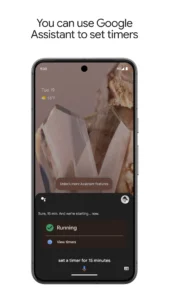
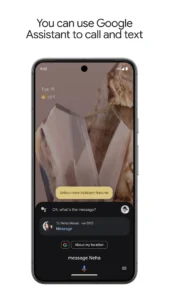
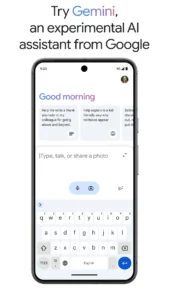
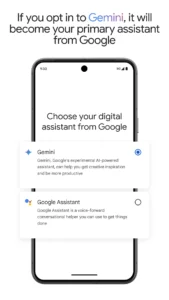
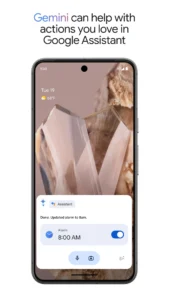
The app serves as a bridge between you and your device. You can use it to open specific applications, toggle phone settings like the flashlight, or make phone calls and send text messages while on the go. It also helps you set reminders, create lists, and find directions to your next destination. If you use smart home technology, you can even adjust your lights or thermostats remotely. The latest update introduces the option to use Gemini as your primary assistant, providing access to advanced AI models while maintaining the core functionality you expect. This makes the app highly versatile for modern users who want to optimize their productivity. You might also find the Google Meet application helpful for your video conferencing needs or the MediaFire platform for managing your cloud files.
Core Features for Daily Productivity
Google Assistant provides a comprehensive suite of features aimed at making your life easier through voice commands. The app excels at handling repetitive tasks that would otherwise require manual input. Whether you are driving, cooking, or simply busy with other work, the assistant listens and responds to your requests. The integration of Gemini represents a significant shift, offering an experimental AI layer that works alongside traditional assistant features. As the developers continue to refine this, users can expect even more complex task management capabilities.
- Voice-activated control for apps, settings, and device hardware.
- Integration with a wide range of smart home ecosystems and devices.
- Hands-free communication including calls, emails, and text messaging.
- Personal organization tools like reminders, lists, and calendar management.
- Optional opt-in for Gemini AI to provide enhanced conversational support.
Getting Started and Permissions
To begin using the app, download the installation file and follow the on-screen prompts. The application requires specific permissions to function correctly, including network state access to stay connected, package size retrieval to manage updates, and GServices permissions to sync with your Google account. These permissions are essential for the app to communicate with Google servers and deliver accurate, real-time responses to your queries. Once set up, you can customize your preferences directly within the application settings.
Strengths and Limitations
- Hands-free control over phone functions and smart home devices.
- Integration with Gemini for advanced AI assistance.
- Simple voice-activated interface for quick information retrieval.
- Requires compatible hardware for full smart home integration.
- Some advanced AI features are currently limited to select countries and devices.
Who Should Install This App
This app is ideal for users who want to save time by using voice commands to control their Android experience. It is particularly useful for people who frequently manage smart home devices or need a quick way to set reminders and send messages while busy. If you prefer to interact with your phone primarily through manual touch navigation, you may find the voice-first approach less necessary. The app is a great choice for anyone looking to centralize their phone management.
Is Google Assistant free to use?
Yes, the app is free to download and use on your Android device.
Can I switch back if I try Gemini?
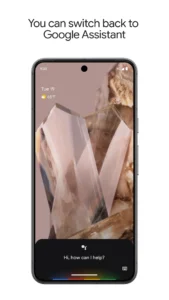
Yes, if you opt into the Gemini experience, you can switch back to the standard Google Assistant at any time through the app settings.
Does it work offline?
The application requires an active network connection to process voice commands and provide real-time assistance.
