


Google Earth 10.125.82.01
Google LLC
November 22, 2026
93.9 MB
10.125.82.01
com.google.earth
RELATED APPS
SCREENSHOTS
DESCRIPTION
See the Globe with Google Earth APK
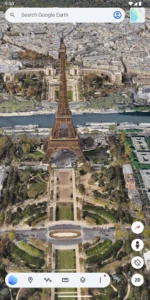
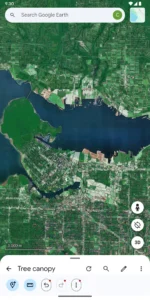
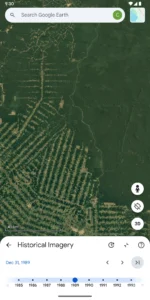
If you are interested in geography, travel planning, or simply seeing the world from a new perspective, Google Earth offers a unique way to explore the planet. Developed by Google Commerce Ltd, this application allows you to view high-resolution satellite imagery, detailed 3D terrain, and cityscapes directly from your mobile device. Whether you want to visit a distant landmark or check the layout of your own neighborhood, this tool provides a comprehensive global view.
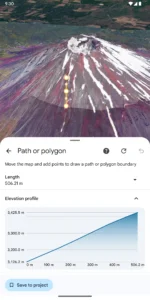
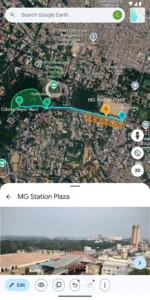
The latest version of the Google Earth APK brings improved collaboration tools, allowing you to create and share custom maps with others across your devices. You can also add photos directly from your camera, making it easier to document your personal travels or research projects. The app is free to use and provides a wide range of visual data for casual users and geography enthusiasts alike.
Key Features for Global Exploration
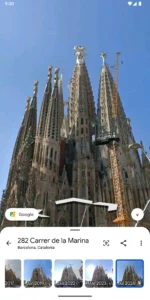
The app provides detailed visual data through its advanced mapping technology. You can explore hundreds of cities in 3D, seeing buildings and terrain as if you were viewing them from above. Street View provides a 360-degree perspective, letting you drop down to street level to see neighborhoods up close. With the updated features, you can now build your own maps on the go, which is useful for planning trips or organizing data for professional use. You can also find Poker Heat™ Texas Holdem Poker for your entertainment needs.
Getting started with Google Earth requires a few steps. After you download and install the APK, the app will request various permissions to function correctly. It needs access to your fine and coarse location to show you where you are on the map. It also requires camera access to add your own photos to maps, and access to your storage to save or load map data. The app uses internet and network state permissions to stream the high-resolution imagery required for its detailed views. You may also consider Pusoy Dos ZingPlay – card game for your device.
Quick Facts
Strengths and Limitations
Strengths:
- Provides high-resolution satellite and 3D imagery.
- Includes Street View for ground-level exploration.
- Allows for map creation and cross-device collaboration.
- Completely free to use.
Limitations:
- Requires several permissions to access features like camera and location.
- Needs an active internet connection to stream map data.
- The file size is nearly 100 MB, which may impact devices with limited storage.
Who Should Use This App
Google Earth is ideal for students, travelers, and anyone curious about global geography. It is a powerful resource for educational purposes and trip planning. However, if you have a phone with very little internal storage or rarely have access to a stable internet connection, you may find the app difficult to use frequently. It is a feature-rich tool designed for those who want to see the world from their screens.
Frequently Asked Questions
Is Google Earth free?
Yes, the application is free to use.
Does it work offline?
No, the app requires an internet connection to stream high-resolution satellite imagery and map data.
Is this the latest version?
The version provided is 10.125.82.01, which was updated on Nov 3, 2026.
