


Google Maps Go
RELATED APPS

SCREENSHOTS
DESCRIPTION
Setting up the Google Maps Go APK on your device
Google Maps Go is the lightweight Progressive Web App version of the standard Google Maps. Developed by Google Commerce Ltd, this application is built for users who want location services and navigation tools but have devices with limited memory. Because it is a lightweight tool, it runs on unreliable network connections without sacrificing the speed you need to get around. To use this app, your device requires the Chrome browser to be installed. If you do not wish to install Chrome, the developer suggests using the browser-based version of maps directly.
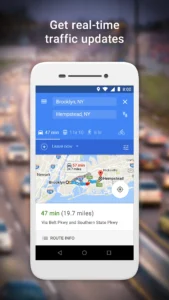
The Google Maps Go APK is designed to save space, taking up significantly less storage than the full version of the maps application. Once you have installed the app and ensured Chrome is active on your phone, you gain access to global mapping data covering over 200 countries and territories. It provides the same core functionality, such as real-time traffic updates and transit schedules, while remaining optimized for lower-end hardware.
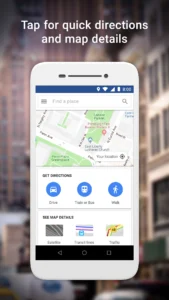
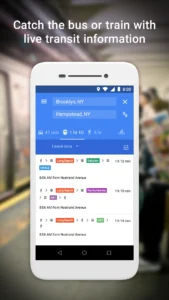
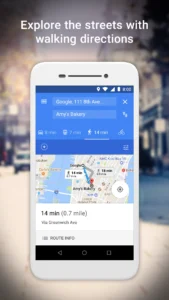
When you use Google Maps Go, you can find the fastest routes by combining various transport modes, including metro, buses, taxis, walking, and ferries. The app provides step-by-step directions with route previews so you can plan your trips before you leave. You can also view live public transport schedules for over 20,000 cities to ensure your commute stays on track.
- Find the fastest routes for metro, buses, taxis, walking, and ferries.
- Access live public transport schedules for over 20,000 cities worldwide.
- Get step-by-step navigation instructions with route previews.
- View real-time traffic information and traffic maps to avoid delays.
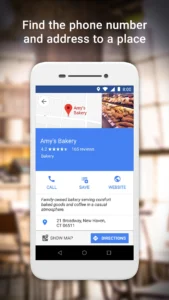
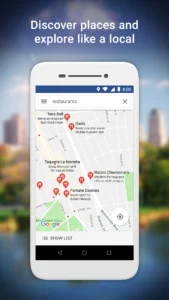
Beyond navigation, the app acts as a local discovery tool. You can search for restaurants, businesses, and other points of interest in your area. The app displays essential details like phone numbers and addresses for over 100 million places. You can also read customer reviews and view photos of food or venues to help you decide where to go. If you want to keep track of your favorite spots, you can save places directly in the app for quick access later.
Why choose Google Maps Go APK?
- Requires 100 times less space than the full Google Maps application.
- Supports over 70 languages for global usability.
- Comprehensive map data including satellite and terrain views.
- Easy access to business information and customer ratings.
This application is ideal for users with older phones or limited data plans. Users of Poker Heat™ Texas Holdem Poker or Pusoy Dos ZingPlay – card game might appreciate how this lightweight app preserves storage space on their devices. If you have a high-end device and prefer a fully native application with all advanced features, you might skip this version in favor of the full Google Maps release. The Google Maps Go APK remains a reliable choice for those needing essential navigation without the heavy footprint.
Quick facts
Strengths and limitations
The main strength of this app is its small footprint and ability to function on unstable networks. It offers a global reach with support for over 70 languages, making it a versatile tool for travelers. However, users should note that the app requires the Chrome browser to function. Additionally, it is an ad-supported service and relies on a web-based architecture rather than a full offline-first native experience.
Is Google Maps Go free to use?
Yes, the application is free to install and use, though it is supported by advertisements.
Does it work offline?
Because it is a Progressive Web App, it is optimized for unreliable networks, but it requires a connection to fetch live traffic, transit data, and map updates.
What happens if I do not want to install Chrome?
If you prefer not to use Chrome, the developer recommends using the web browser version of Google Maps by visiting www.google.com/maps directly.
