


Google Password Manager 2026.08.09.965935303.1-release
Google LLC
November 22, 2026
4.6 MB
2026.08.09.965935303.1-release
com.google.android.apps.credentialmanager
RELATED APPS





SCREENSHOTS
DESCRIPTION
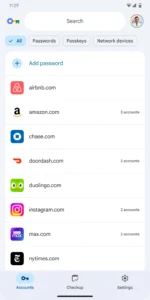
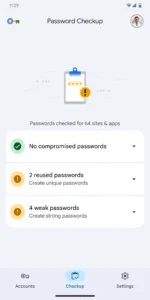
If you struggle to keep track of dozens of different login credentials, Google Password Manager is designed to simplify your digital life. Developed by Google Commerce Ltd, this utility provides a direct shortcut to the credential management system already integrated into your Android device. It helps you organize your passkeys and passwords so you can sign in to your favorite websites and mobile applications without needing to remember unique codes for every single account. By using the Google Password Manager APK, you gain a dedicated interface to control these security settings.
Using Google Password Manager APK for Account Security
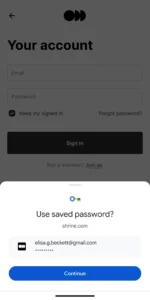
The primary benefit of this tool is the convenience it adds to your daily routine. Since Google Password Manager is built directly into Android and Chrome, it synchronizes your saved information across all your devices. You no longer need to reuse weak passwords across multiple platforms, as the system generates and stores unique credentials for you. When you need to access a specific site, the Google Password Manager APK automatically suggests the correct login details, making the entire process faster and more secure.
For users who manage complex file structures or need to extract compressed archives, you might also find tools like ZArchiver Pro Donate helpful for your device organization. If you prefer to play games, you could explore Minecraft Java: PojavLauncher to run desktop versions of games on your phone. However, for security tasks, Google Password Manager remains the standard choice for most Android users who want a reliable Google Password Manager APK to streamline their daily sign-in process.
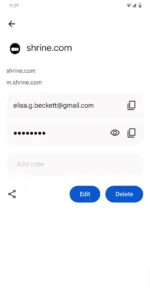
To get started, simply download and install the APK. The app requires a few specific permissions to function correctly: it uses android.permission.ACCESS_NETWORK_STATE to check for connectivity, android.permission.GET_PACKAGE_SIZE to manage storage data, and android.permission.WAKE_LOCK to ensure background tasks complete without interruption. Once installed, the shortcut allows you to open your saved credentials dashboard instantly.
Strengths and Limitations
Strengths:
- Completely free to use for all Android users.
- Deep integration with Chrome and the Android operating system.
- Synchronizes passwords and passkeys across different devices.
Limitations:
- Requires specific system permissions to monitor network state and package sizes.
- Functionality is tied to your Google account login.
Who should use this app?
This application is perfect for anyone who wants a centralized, secure location to store login information without paying for third-party subscription services. If you already use Chrome to save your passwords, Google Password Manager provides the most natural extension of that service to your mobile apps.
Frequently Asked Questions
Is it free to use?
Yes, the app is free of charge and does not include in-app purchases or subscription tiers.
Does this app work offline?
While the app requires network permissions to function correctly, it is designed to manage the credentials already stored locally or synced to your account.
Why does it need my network status?
The app requires access to your network state to ensure it can synchronize your passwords and passkeys securely across your connected devices.
