


Google Play Games 2026.11.71427 (1019846497.1019846497-190400)
Google LLC
November 22, 2026
19.9 MB
2026.11.71427 (1019846497.1019846497-190400)
com.google.android.play.games
RELATED APPS





SCREENSHOTS
DESCRIPTION
Why should you use the Google Play Games APK?
Google Play Games serves as a comprehensive central hub for your mobile gaming journey. Developed by Google Commerce Ltd, this application helps you manage your gaming profile, track achievements, and discover new titles across various genres. If you want to keep your progress synced across different Android devices, this app provides the necessary cloud connectivity to ensure you never lose your spot. Downloading the Google Play Games APK is the first step to organizing your collection and improving your social gaming experience. It brings together your library, leaderboards, and social features in one place.
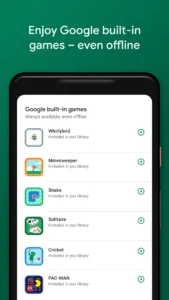
With the latest update, Google Play Games makes getting into your favorite titles easier through automatic sign-ins. You simply choose your account, and the app handles the rest, allowing you to jump straight into the action. The platform also offers a selection of built-in mini games like PAC-MAN and Solitaire, which you can enjoy even when you are offline. This utility is a must-have for anyone who plays games frequently on their phone and wants to organize their activity while earning XP. It is designed to remove the friction of manual logins and repetitive setup processes.
Key features for every mobile gamer
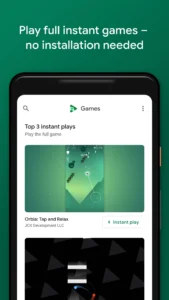
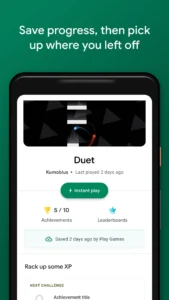
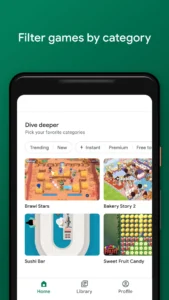
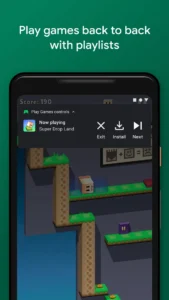
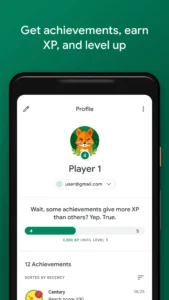
The app offers several tools to enhance how you play. The Instant play feature is perhaps the most notable, as it allows you to launch full games without going through a full installation process. You can identify these games by the specific button in the menu. Another useful feature is the integrated gameplay recording, which lets you capture and share your high scores or best moments with others. Your gamer profile tracks your growth through XP and achievements. As you play, your progress is automatically saved to the cloud, provided the game supports the Play Games service. For those who enjoy variety, you might also explore PlayHub Plus: Movies & Series for your entertainment needs or check out Kawaii Animes if you are looking for specific streaming content. These tools work in the background to ensure your gaming sessions remain fluid.
Getting started with the app
To begin using Google Play Games, download the official file and follow the standard installation prompts on your device. The app requires several permissions to function, including internet access for cloud saves and network state monitoring. It also requests access to your notifications, vibration settings, and the ability to receive boot completion signals to manage background syncing effectively. Because it handles account sign-ins, it uses specific Google services permissions to keep your data secure across your devices. Always ensure you have sufficient storage space for the 19.9 MB file size. The app is optimized to run on a wide range of devices, ensuring that your data stays consistent whenever you switch from a tablet to a smartphone.
Quick Facts
Strengths and Limitations
Strengths:
- Cloud-based progress syncing across multiple devices.
- Instant play feature allows gaming without full installation.
- Built-in classic games that work offline.
- Easy gameplay recording and achievement tracking.
- Automatic sign-in for supported games.
Limitations:
- The app contains advertisements.
- Requires a Google account for full functionality.
- Permissions list is extensive due to system-level integration.
- Not all games support cloud save features.
Is this app right for you?
If you are an active mobile gamer who frequently switches between devices, Google Play Games is an essential download. It simplifies account management and ensures your hard-earned progress is always backed up. However, if you prefer to play games completely offline without any account syncing or if you are concerned about the number of system permissions requested, you may find the app less suitable for your needs. It is primarily built for users who want a unified experience across the Google ecosystem.
Frequently Asked Questions
Is Google Play Games free to use?
Yes, the app is free to download and use, though it does include advertisements within the platform.
Does it work while offline?
Yes, you can access the built-in mini games like Snake, Minesweeper, and Solitaire even when you do not have an active internet connection.
Can I change my account later?
Yes, you can change your active account at any time through the app settings.
APP TRAILER
