


Killer Sudoku - Sudoku Puzzle 3.14.1
Guru Puzzle Game
November 22, 2026
146.6 MB
3.14.1
Android 6.0
killer.sudoku.free.brain.puzzle
RELATED APPS





SCREENSHOTS
DESCRIPTION
Solve Challenging Logic Puzzles with Killer Sudoku – Sudoku Puzzle APK
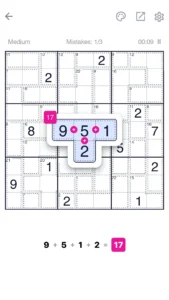
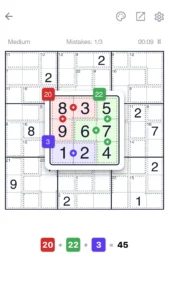
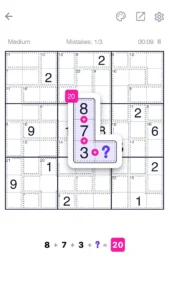
If you enjoy number games but find standard Sudoku too repetitive, you likely want a fresh challenge for your brain. Killer Sudoku – Sudoku Puzzle offers a complex twist on the classic format by requiring you to calculate sums within specific cages. This logic-based game forces you to think mathematically while maintaining the core rules of standard grids, providing a deeper level of engagement for puzzle enthusiasts.
This application by Google Commerce Ltd is designed for players of all skill levels. Whether you are a beginner looking for a casual session or an expert wanting to test your mental speed, the game provides the structure you need. If you are a fan of other logic games, you might also enjoy the creative mechanics found in Wonderputt Forever. The app allows you to track your progress and improve your memory through consistent daily practice.
Key Features for Puzzle Lovers
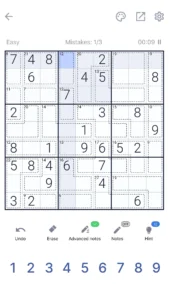
The app includes several tools to make your experience smooth and enjoyable. You can toggle a note-taking mode that functions like paper, allowing you to track potential numbers. If you get stuck, the game offers unlimited hints and an undo function to correct mistakes instantly. For those who enjoy variety, there are different difficulty levels ranging from Easy to Expert, as well as casual 4×4 and 6×6 board options.
You can also customize your workspace with new color themes or a dark mode, which is perfect for playing in low-light conditions. Your progress is saved automatically, so you can stop mid-game and return whenever you have a spare moment. If you want to explore more engaging content, you can check out BLACKPINK THE GAME for different types of puzzles. Statistics tracking helps you monitor how quickly you solve each grid, encouraging you to beat your own records.
Getting Started with the Game
To begin playing Killer Sudoku – Sudoku Puzzle, download the latest version and open it on your device. The app requests various permissions, such as access to your network state and Wi-Fi status, to ensure the game functions correctly and to deliver updates. It also uses notification permissions to alert you about new daily challenges, and vibration settings to provide feedback during gameplay.
Strengths and Limitations
Strengths:
- Multiple difficulty levels suitable for beginners and experts.
- Useful tools like automatic notes, hints, and undo.
- Visual customization with dark and color themes.
- Autosave feature to prevent loss of progress.
Limitations:
- Includes advertisements during gameplay.
- Requires several permissions for network and ad services.
- Large file size of 146.6 MB.
Frequently Asked Questions
Is Killer Sudoku – Sudoku Puzzle free to play?
Yes, the game is free to download and play, though it is supported by advertisements.
Can I play this game without an internet connection?
While some features like cloud saves or ads may require a connection, the core puzzle-solving experience is designed to be accessible.
Does it work on my Android device?
Killer Sudoku – Sudoku Puzzle is compatible with most modern Android devices. Check the store listing for specific OS requirements on your device.
APP TRAILER
