


Lark Player:Music Player & MP3 2027.2.5
November 23, 2026
48.6 MB
2027.2.5
com.dywx.larkplayer
RELATED APPS




SCREENSHOTS
DESCRIPTION
Enjoy Your Media Offline With Lark Player
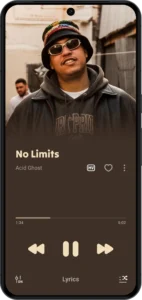
Lark Player:Music Player & MP3 is a popular choice for users who want to manage and enjoy their local media files. With over 500 million installs, this tool serves as a versatile offline player for both music and video files on Android devices. Whether you have a large library of MP3s or a collection of movie files, this app provides a central place to organize and play them without needing an internet connection.
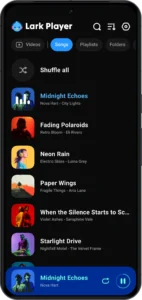
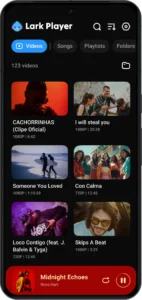
The app is designed for people who prefer to keep their media stored locally on their device. By using Lark Player:Music Player & MP3, you can browse your files by artist, album, genre, or folder. The interface allows for easy playlist creation, ensuring your favorite tracks are always easy to find. It also includes a floating window feature, which lets you watch videos or listen to music while you use other apps on your phone.
Core Features for Media Enthusiasts
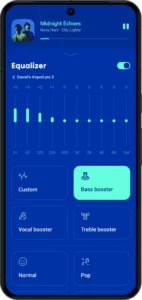
This player supports a wide range of formats, including MP3, WAV, FLAC, and AAC for audio, as well as MP4, MOV, and MKV for video. To improve your listening experience, the app includes a powerful equalizer. You can choose from various preset modes like Classical, Hip-hop, Rock, or Jazz to adjust the sound output to your preference. You might also want to try Meulify if you are looking for additional ways to organize your local audio collection.
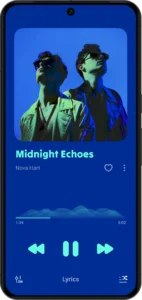
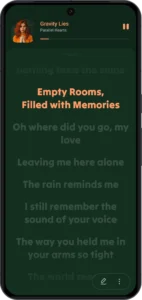
The app includes handy tools to make media consumption more convenient. You can set a sleep timer so the music stops automatically after you fall asleep, or use the built-in video-to-MP3 converter to extract audio from your files. If you need to fine-tune your audio output settings, you can check out Sound Assistant for more advanced control options. Additionally, Lark Player:Music Player & MP3 supports lyrics, allowing you to match text to your offline tracks for a complete singing experience.
Getting Started and Permissions
Installing the app is straightforward. Because it is an offline player, you do not need an internet connection to listen to your music or watch your videos. However, the app does request several permissions to function correctly. It requires access to your media files (audio, video, and visual) so it can locate and play your content. Other permissions, such as notification access and foreground service access, ensure that playback continues smoothly even when you are using other apps or have your screen locked.
Strengths and Limitations
Strengths:
- Supports a vast array of audio and video file formats.
- Includes a built-in equalizer with multiple sound presets.
- Offers a floating window mode for multitasking.
- Allows for easy file management and playlist creation.
Limitations:
- The app is ad-supported, which may impact your viewing or listening screen.
- It is strictly an offline player and does not support downloading music from the internet.
- Requires several system permissions to handle media and background playback effectively.
Who Should Use This App?
Lark Player:Music Player & MP3 is an excellent tool for those who already have a library of media files on their device and want a clean, organized way to play them. It is perfect for users who enjoy customizing their sound experience with an equalizer or those who need to multitask while watching videos. If you are looking for an online streaming app or a music downloader, this is not the right choice for you, as it does not provide those services.
Frequently Asked Questions
Is the app free to use?
Yes, it is a free app, though it is supported by advertisements.
Does it work without an internet connection?
Yes, it is designed specifically as an offline music and video player.
Can I download music with this app?
No, the developer explicitly states that it is not a music downloader and does not support downloading content.
