


Microsoft OneDrive 7.64.2
Microsoft Corporation
November 22, 2026
106.0 MB
7.64.2
com.microsoft.skydrive
RELATED APPS






SCREENSHOTS


DESCRIPTION
Getting Started with the Microsoft OneDrive APK
To begin using Microsoft OneDrive, you simply need to download the app and sign in with your account. If you do not have one, you can register during the initial setup. The app requires several permissions to function, such as access to your camera for document scanning, storage access for uploading files, and network state to sync your data. It also uses biometric permissions if you wish to secure your files with fingerprint or face recognition. Once logged in, you receive 5 GB of free cloud storage to manage your documents, photos, and videos. This Microsoft OneDrive APK serves as your primary gateway to accessing files stored in the cloud from any Android device.
Key Features for File Management
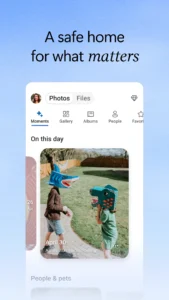
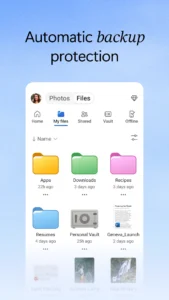
The app provides a reliable way to keep your digital life organized across all your devices. You can turn on automatic camera backup to save your photos and videos directly to the cloud. This ensures your memories are safe and accessible from anywhere. Microsoft OneDrive also includes a document scanning feature that allows you to sign, markup, and send files directly from your phone. You can even scan up to 50 pages in a single session. The new Memories tab organizes your photos by themes like trips, seasons, and people to help you find specific moments quickly.
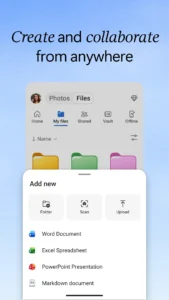
For those who need to collaborate, the app integrates with Office tools. You can edit Word, Excel, PowerPoint, and OneNote files in real time. If you need to communicate with your team, you might also find Google Meet useful for your professional video conferencing needs. The app also features a Personal Vault for sensitive documents that require identity-verified protection. Additionally, AI assistance with Copilot is available for subscribers to summarize documents, extract key details, and suggest folder structures.
Quick Facts
Strengths and Limitations
Strengths:
- Generous 5 GB of free initial storage.
- Direct integration with Microsoft Office apps.
- Advanced security features like Personal Vault and encrypted storage.
- Efficient document scanning capabilities.
- Automatic photo and video backup with smart tagging.
Limitations:
- Advanced features like ransomware detection require a paid subscription.
- Large number of required permissions may concern privacy-focused users.
- Requires a stable internet connection for full synchronization.
- File Restore and premium sharing links are limited to paid plans.
Who Should Use This App
This application is ideal for individuals who already use the Microsoft ecosystem for work or school. It is also a great choice for anyone looking for a secure cloud backup for their photos and documents. If you are already using Bing: Chat with AI & GPT-4, you may find the AI-powered Copilot features in this app helpful for summarizing and organizing your files. People who prefer to keep their files strictly local or offline may find the cloud-based nature less appealing. Overall, the Microsoft OneDrive APK is a comprehensive tool for anyone needing to access their files from multiple locations.
Frequently Asked Questions
Is the app free to use?
Yes, Microsoft OneDrive is free to download and provides 5 GB of free storage. You can choose to upgrade to a paid subscription for more capacity and premium features.
Can I access files offline?
Yes, you can access selected files offline using the app, which is useful when you do not have an internet connection.
Does it support AI features?
Yes, the app includes Copilot features for those with a qualifying subscription, allowing you to summarize documents and organize your folders automatically.
Which Android version is required?
The app is compatible with Android devices, though specific minimum version requirements are not listed in the current data.
APP TRAILER
