

Microsoft OneNote: Save Notes 16.0.20430.20038
Microsoft Corporation
November 22, 2026
214.1 MB
16.0.20430.20038
com.microsoft.office.onenote
RELATED APPS






SCREENSHOTS

DESCRIPTION
Is Microsoft OneNote the right tool for your digital organization?
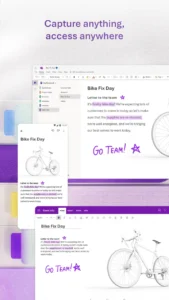
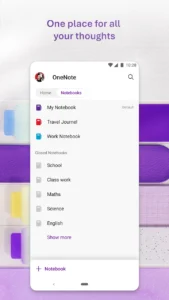
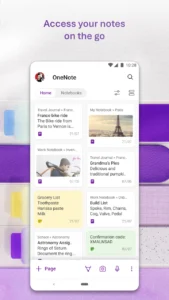
If you are looking for a way to manage your thoughts, tasks, and meeting summaries, Microsoft OneNote is a powerful option developed by Microsoft Corporation. It acts as a digital notebook that helps you capture ideas through voice, text, and images. The app is designed to keep your information synced across your devices so you can access your work anywhere.
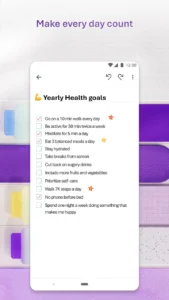
The app focuses on productivity by integrating AI-powered tools. You can use voice-to-text to capture ideas quickly, and the app even generates transcriptions for your audio files. This makes it easier to review meetings or classes later. If you need to stay on top of your schedule, you can use the built-in task organizer to create to-do lists and mark important follow-up items.
For those who need to manage professional communication, you might also consider Google Meet to handle your online meetings while using this app to store the resulting summaries. The scanner feature allows you to capture documents or pictures and extract text from them, adding another layer of utility to your notes. If you enjoy using advanced artificial intelligence, you may also find value in using Bing: Chat with AI & GPT-4 to complement your research and writing processes.
To get started, simply download the Microsoft OneNote installer. You will need a free Microsoft account to sign in and begin creating notebooks. The app requests various permissions, including access to your camera for scanning, microphone for audio notes, and storage for saving files. It also uses biometric permissions to help you lock sensitive information behind security features.
Strengths and Limitations
- Includes powerful AI transcription and audio overview features.
- Allows deep integration with Microsoft 365 apps like Word and Excel.
- Provides secure storage with biometric locking options.
- Requires a Microsoft account to function.
- The file size is relatively large at over 200 MB.
Microsoft OneNote is ideal for students, professionals, and anyone who needs a reliable way to organize complex projects. If you prefer simple, lightweight text apps without cloud synchronization or AI features, this might be more than you need. The app performs well for users already invested in the Microsoft ecosystem, especially those who need to collaborate on shared notebooks.
Frequently Asked Questions
Is Microsoft OneNote free?
Yes, the app is free to use, though you must have a Microsoft account to sign in and create notebooks.
Does it work offline?
You can create and edit notes offline, and your changes will sync to your account once you have an active internet connection.
Which Android version is required?
This app requires Android OS 9.0 or later to function correctly.
