

Microsoft Word: Edit Documents 16.0.20708.20010
Microsoft Corporation
November 22, 2026
303.8 MB
16.0.20708.20010
com.microsoft.office.word
RELATED APPS






SCREENSHOTS

DESCRIPTION
Whether you are a student, journalist, or project manager, Microsoft Word: Edit Documents provides the professional tools you need to create and edit files on your mobile device. Developed by Microsoft Corporation, this app brings the familiar features of the desktop experience to your phone. It allows you to write letters, CVs, and assignments while on the move, ensuring your work remains accessible. By downloading the Microsoft Word: Edit Documents APK, you gain access to a powerful office suite designed to keep your productivity high regardless of your location.
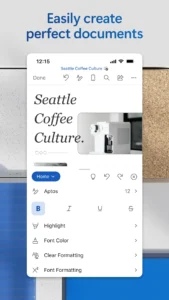
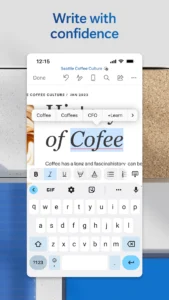
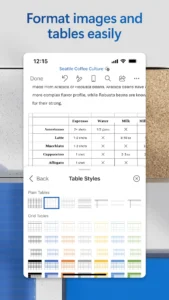
The app simplifies mobile productivity by offering a built-in document viewer and helpful editing tools. You can start projects quickly using a wide selection of modern templates for invoices, proposals, and brochures. Microsoft Word: Edit Documents keeps your formatting consistent across all devices, so your work looks exactly as you intended. The app is built to handle complex formatting and layout requirements, allowing you to express your ideas with clarity and precision on a smaller screen.
Key Features for Your Workflow
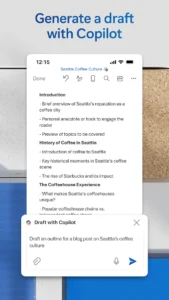
Creating and managing files is easy with the intuitive interface provided by this mobile suite. You can convert PDFs into Word documents for editing or view attachments directly within the reader. The app also supports real-time collaboration, allowing you to track changes and add comments alongside your text to share feedback with others. For those looking to streamline their writing, AI assistance with Copilot is available to help draft content, summarize documents, and provide intelligent suggestions to make your writing impactful.
Sharing your work is efficient, as you can manage permissions and invite others to view or edit with just a few taps. You can also restore earlier versions of your work using the built-in version history. To manage your team communication effectively, you might also consider using Google Meet for your project discussions. Additionally, for advanced AI-driven search and drafting, the Bing: Chat with AI & GPT-4 app can complement your productivity toolkit.
Getting Started and Permissions
To use Microsoft Word: Edit Documents, ensure your device has at least 1 GB of RAM. Upon installation, the app requests various permissions to function correctly. These include access to storage for reading and writing files, camera access for document scanning, and network state permissions for syncing your data to the cloud. You will also need to grant permissions for notifications, background services, and Bluetooth to receive updates, maintain a connection to your saved files, and support peripheral devices. The app uses these permissions to ensure that your documents are always synced and ready for use, while also allowing for advanced features like scanning documents directly into your workspace.
Quick Facts
Strengths and Limitations
Strengths:
- Familiar interface similar to the PC version.
- Real-time collaboration and version history.
- Built-in PDF conversion and document reader.
- Wide variety of professional templates for many document types.
Limitations:
- Some advanced features require a Microsoft 365 subscription.
- The file size is relatively large at 303.8 MB.
- Requires at least 1 GB of RAM to run.
- Includes in-app purchases for premium features.
Who Should Install This App?
If you rely on Microsoft Office for your daily work or studies, this app is essential for staying productive on your phone. It is ideal for users who need to edit long documents, collaborate with teams, and access their files from anywhere. However, if you only need a basic text viewer or have very limited storage space, you might find the file size and subscription model less suitable for your needs. The app serves those who need the power of a desktop processor in a mobile format.
Frequently Asked Questions
Is the app free to use?
Yes, the app is free to download and use for basic document tasks. Additional features may be unlocked with a Microsoft 365 subscription.
Does it work offline?
You can read and edit documents offline, and your changes will sync once you are back online.
What are the hardware requirements?
The app requires a device with at least 1 GB of RAM.
