


MSN Weather - Forecast & Maps 30.2.261028002
Microsoft Corporation
November 22, 2026
4.3 MB
30.2.261028002
Android 7.0
com.microsoft.amp.apps.bingweather

SCREENSHOTS

DESCRIPTION
Stay Ahead of Changing Conditions with MSN Weather – Forecast & Maps APK
Unpredictable weather can disrupt your commute or ruin your weekend plans if you are not prepared. MSN Weather – Forecast & Maps provides a reliable way to monitor atmospheric changes and plan your day effectively. Developed by Microsoft Corporation, this application delivers detailed information for your current location and any other city you choose to track. Whether you are planning a trip, heading to the beach, or simply checking if you need an umbrella for your morning walk, this app helps you stay informed.
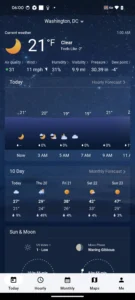
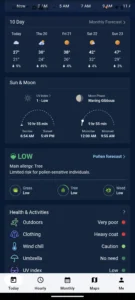
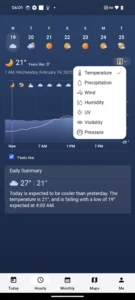
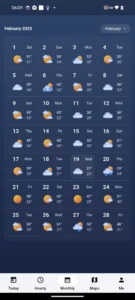
The app offers comprehensive data, including hourly, 5-day, and 10-day forecasts. You can view specific metrics like humidity, wind speed, barometer readings, dew point, and the UV index. These details help you decide if you need extra layers for your commute. By using MSN Weather – Forecast & Maps, you gain access to historical weather averages that provide context for the current season, as well as sunrise, sunset, and moon phase information.
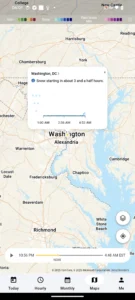
Beyond standard text forecasts, the app features interactive maps that allow you to track precipitation, cloud cover, and satellite imagery. These radar observations and forecasts help you visualize approaching storms so you can adjust your schedule accordingly. You can also explore Bing: Chat with AI & GPT-4 to discover more productivity tools from the same developer.
Managing multiple locations is easy to handle. You can add your favorite cities to a list for quick access whenever you need to check the conditions in different regions. If you are a frequent user of other Microsoft services, you might also find Microsoft Edge useful for browsing the web on your mobile device. The app supports automatic syncing, ensuring your preferred cities remain consistent across your mobile device and the web. You can also sign in to save your specific preferences for a more personalized experience.
To get started, simply download the MSN Weather – Forecast & Maps APK and grant the necessary permissions. The app requires access to your location to provide accurate local reports. It also uses your internet connection to fetch real-time data and notifications to alert you of severe weather conditions. The app manages background processes to ensure you receive timely updates, and it uses vibration to notify you of critical alerts.
Quick Facts
Strengths and Limitations
- Detailed hourly and 10-day forecasts.
- Interactive radar and satellite maps.
- Automatic sync of favorite cities across platforms.
- Timely severe weather notifications.
- Contains ads as part of the free model.
- Requires location permissions for local weather data.
- Sign-in required for advanced preference syncing.
Is the app free to use?
Yes, MSN Weather – Forecast & Maps is free to download and use, though it does include advertisements.
Does it work offline?
The app requires an active internet connection to fetch the latest weather data, hourly updates, and radar imagery.
What Android version is required?
You need a device running Android 7.0 or higher to install this application.
Can I track multiple locations?
Yes, you can add multiple cities to your favorites list for quick access to their current weather and forecasts.
