

Microsoft Edge 157.0.4341.53
Microsoft Corporation
November 22, 2026
320.0 MB
157.0.4341.53
com.microsoft.emmx
RELATED APPS






SCREENSHOTS
DESCRIPTION
Struggling to manage your online tasks or feeling overwhelmed by too many open tabs? Microsoft Edge is designed to help you regain control of your browsing experience. Developed by Google Commerce Ltd, this app integrates AI-powered tools directly into your mobile web navigation to streamline your workflow and simplify complex research tasks. Whether you are searching for information, reading long articles, or simply browsing, this tool aims to make your time online more efficient and secure. With over 100 million installs, it has become a popular choice for users who want a browser that does more than just display web pages.
Why Choose Microsoft Edge APK?
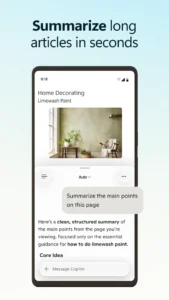
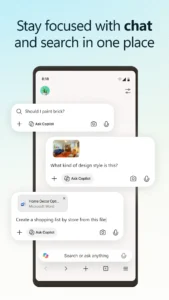
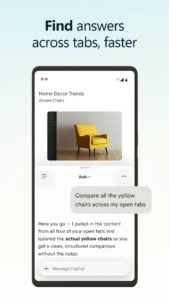
The core strength of Microsoft Edge lies in its built-in Copilot features. This AI assistant helps you summarize lengthy articles, videos, and PDFs without forcing you to switch between different apps or tabs. By analyzing the content on your screen, it provides quick answers and insights, allowing you to make decisions faster. It even helps you draft ideas or generate images directly from your browser. The new tab page now routes your queries to search, chat, or the web automatically, keeping everything in one place. You can rely on this AI to adapt to how you work, providing deeper insights when you need them.
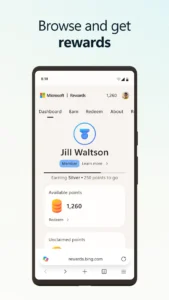
Organization is another priority for the app. You can group tabs by topic with a single click, keeping your workspace clutter-free. The Read Aloud feature uses natural-sounding voices to narrate articles while you perform other tasks. If you need to manage secure messages alongside your browsing, you might want to look at Telegram for your communication needs. The browser also allows you to earn Microsoft Rewards points faster as you browse, adding a layer of utility to your daily internet usage. It is designed to be intuitive so you can accomplish more with less effort every day.
Security is built into every session. The browser includes tracking prevention, AdBlock Plus to minimize distractions, and Microsoft Defender SmartScreen to guard against malware and phishing attempts. You can also utilize InPrivate mode to ensure your browsing history is not saved, and use password monitoring to stay alerted if your credentials appear on the dark web. If you are looking for a standard alternative, Google Chrome: Fast & Secure is available to compare.
Key Features for Productive Browsing
- Copilot Vision: Scans and analyzes the content you are currently viewing to assist with brainstorming.
- Smart Tab Management: Organize your open pages into groups to reduce clutter.
- Page Translation: Automatically translates content as you browse to help you read in your preferred language.
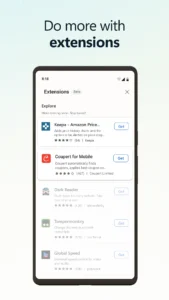
- Customizable Extensions: Personalize your experience with tools for shopping and distraction blocking.
- Read Aloud: Listen to web content using natural-sounding voices while multitasking.
System Requirements and Permissions
To get started, simply download the Microsoft Edge APK and install it on your device. The app requests various permissions, including access to your camera, microphone, and location, to enable features like voice-activated search and site-specific functionality. It also uses Bluetooth and NFC for device connectivity and requires account access to sync your preferences across platforms. The app also manages downloads, reads external storage for files, and uses foreground services to maintain active processes like media playback. Please note that the file size is 320.0 MB, so ensure you have sufficient storage space before beginning the installation process.
Strengths and Limitations
- Features built-in AI Copilot for research and summarization.
- Includes security tools like tracking prevention and password monitoring.
- Offers tab grouping and Read Aloud for better productivity.
- Large file size compared to basic browsers.
- Requires numerous permissions for advanced features to function.
Frequently Asked Questions
Is Microsoft Edge free to use?
Yes, the app is free to download and use.
Does it work offline?
While some cached content may be available, most features require an active internet connection to browse and interact with AI tools.
Does this browser include ad blocking?
Yes, it includes AdBlock Plus to help block unwanted ads and distractions while you browse.
