


Music Speed Changer 14.0.0-pl
Single Minded Productions, LLC
November 22, 2026
61.0 MB
14.0.0-pl
com.smp.musicspeed
RELATED APPS





SCREENSHOTS

DESCRIPTION
Master Your Audio with Music Speed Changer APK
Music Speed Changer is a powerful tool for musicians, students, and audio enthusiasts. Developed by Google Commerce Ltd, this application allows you to manipulate audio files directly on your device. Whether you need to slow down a complex guitar solo to learn the notes or speed up an audiobook, this utility provides the professional controls required to adjust tempo and pitch independently. By downloading the Music Speed Changer APK, you gain immediate access to a suite of features designed for precise audio editing and practice on the go.
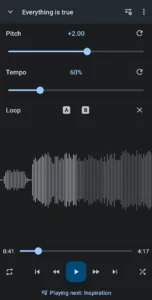
By using the Music Speed Changer, you can change audio speed from 15% to 500% of the original tempo. Because the app utilizes a professional-quality time-stretching engine, you can modify the BPM without distorting the pitch of the recording. This makes it an essential companion for those who use a Sound Assistant to manage their device audio settings.
Core Audio Manipulation Features
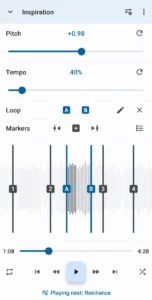
The app includes a comprehensive set of tools for audio modification. You can perform pitch shifting by up to 24 semi-tones or use the rate adjustment feature to change both speed and pitch simultaneously. The Music Speed Changer also features a sophisticated music looper. You can capture specific sections of a track and repeat them, making it easier to practice difficult passages. The advanced looping function allows you to move your markers to the next measure with a single tap.
- Precision Controls: Use the zoomable waveform view to see audio contours and navigate to specific parts of a track with high accuracy.
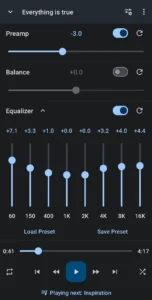
- Advanced Effects: Apply reverb, flanger, and echo effects, or use the 8-band graphic equalizer to adjust the sound profile.
- Metronome and Tuning: Utilize the built-in metronome for timing and check the A4 tuning of your tracks to ensure they match your instrument.
- Versatile Export: Save your adjusted audio as an MP3, FLAC, or WAV file to share with friends or listen in other media players.
Getting Started and Permissions
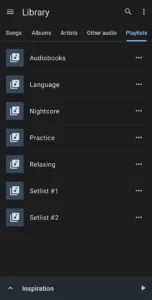
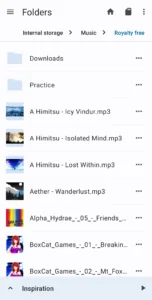
To begin, simply download and install the application. Upon first launch, the app will request various permissions to function correctly. These include access to your local media files, microphone access for the built-in recorder, and network state permissions for ad-related services. The app uses foreground services to ensure playback and processing continue smoothly while you work in other apps. If you are looking for other ways to manage your library, you might also consider trying Meulify as an alternative music player.
Strengths and Limitations
The app offers significant utility for musicians and casual listeners alike, but it is important to understand its structure:
- Strengths: Instant playback without waiting for decoding, support for most audio formats, and precise waveform zooming for accurate seeking.
- Limitations: Some advanced features like formant correction require in-app purchases, and the stem splitter requires specific hardware specifications like 4 GB of RAM and a 64-bit Android OS. The app is supported by ads.
Frequently Asked Questions
Is the Music Speed Changer app free to use?
Yes, the app is free and provides unrestricted access to the primary speed and pitch control features. Certain advanced features, such as formant correction, require a subscription or in-app purchase.
Does it work offline?
Yes, the app is designed to work with your local audio files, so you do not need an active internet connection to play or modify your music.
What happens to my modified files?
You can save your adjusted audio as an MP3, FLAC, or WAV file, allowing you to share your edits or listen to them in other media players.
Which Android version is required?
The app is compatible with a wide range of devices, though advanced features like stem splitting are limited to 64-bit Android systems.
