


Notes - Easy Notepad 3.5
Glad Appvestor
November 22, 2026
74.9 MB
3.5
notes.notebook.todolist.notepad.checklist
RELATED APPS






SCREENSHOTS
DESCRIPTION
Getting Started with the Notes – Easy Notepad APK
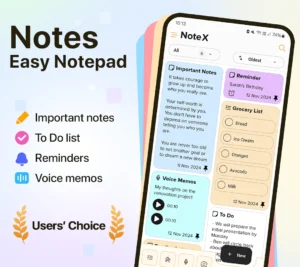
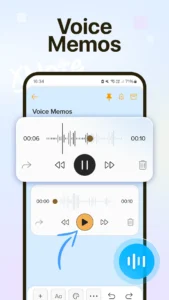
Notes – Easy Notepad is a versatile tool created by Glad Appvestor to help you manage your daily life. Whether you need to track complex tasks, maintain simple grocery lists, or capture quick ideas, this application offers a way to stay organized on your mobile device. To get started, download the Notes – Easy Notepad APK and follow the standard installation prompts on your Android device. The app requires several permissions to function, including access to your camera for sketches, the microphone for voice memos, and notification settings to ensure you receive your reminders on time.
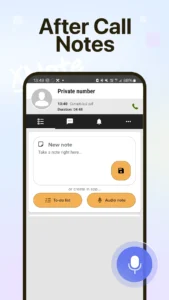
Because the app includes a unique after-call screen feature, it requests specific permissions to manage calls and read phone states. This integration allows you to quickly jot down important information or record voice memos immediately after finishing a conversation. The app also uses network and Wi-Fi state permissions to support its various connectivity features, along with billing permissions to handle the app’s monetization model. If you are looking for other ways to improve your daily digital workflow, you might also consider tools like Google Meet for your professional scheduling needs.
Organizing Your Daily Tasks and Creative Ideas
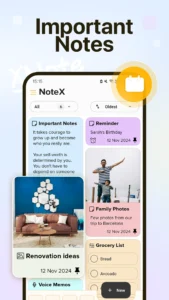
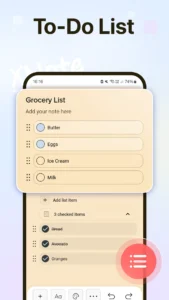
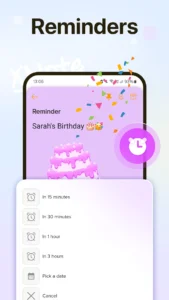
Once you have completed the installation, you can begin creating notes and detailed checklists right away. The app allows you to set specific reminders for upcoming events or project deadlines, ensuring you stay on track throughout your busy day. If you are managing a large volume of data or documents, you can also use MediaFire to keep your files backed up securely alongside your notes. The interface is designed to let you customize colors and backgrounds, which helps you visually categorize your checklists, personal notes, and reminders for quick identification at a glance.
You can also use the built-in sketch feature to draw simple diagrams or brainstorm visual ideas directly within the application. Finding specific information is fast thanks to the search tool, which allows you to locate any note by title or specific keywords. If you need to collaborate with friends or colleagues, you can share your to-do lists, grocery lists, or other notes with others via email, messaging apps, or social platforms with just a few taps. The app provides a complete suite of functions for users who want to keep their schedules and thoughts in one place.
Quick Facts
Strengths and Limitations
Strengths:
- Versatile tools for both simple text notes and detailed checklists.
- Integrated reminder system for important dates and daily events.
- Visual organization through highly customizable color-coded notes.
- Quick access to note-taking tools immediately after phone calls.
- Built-in sketch function for visual brainstorming.
Limitations:
- The app displays advertisements during use.
- Requires a wide range of permissions to access phone, audio, and system features.
Who Should Use This App?
Notes – Easy Notepad is ideal for users who want an all-in-one organizer on their Android device. It is well-suited for users who frequently need to make grocery lists, set reminders for meetings, or quickly capture thoughts after a phone call. Users who value a simple, customizable interface will find it easy to navigate. However, if you are uncomfortable granting permissions related to phone calls or advertising services, you may want to look for an alternative.
Frequently Asked Questions
Is Notes – Easy Notepad free to use?
Yes, the app is free to download and use, though it includes advertisements within the interface.
Does it work offline?
The app is designed to help you organize notes and lists on your device, though some features may rely on network connectivity for data synchronization.
Which Android version is required?
The developer has not specified a minimum Android version requirement for this application.
