


Offline Music Player: Play MP3 1.02.175.1113
November 22, 2026
63.5 MB
1.02.175.1113
Android 7.0
mymusic.offlinemusicplayer.mp3player.playmusic
RELATED APPS





SCREENSHOTS
DESCRIPTION
Why Choose the Offline Music Player: Play MP3 APK?
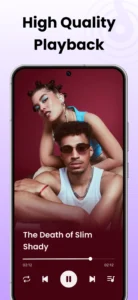
Many music applications rely on constant internet connections, which often lead to stuttering playback, buffering delays, and high data consumption. If you are tired of these issues, the Offline Music Player: Play MP3 app offers a reliable solution. Developed by Google Commerce Ltd, this tool is designed for users who want to play their own music files without needing a data connection. With the Offline Music Player: Play MP3 APK, you can finally take control of your local audio library and enjoy your favorite tracks with high-quality sound, regardless of your current network status.
This app provides a simple way to organize your library and manage your music collection. Whether you are commuting, traveling, or working in a spotty network area, you can rely on this player to keep your library accessible at all times. You can also explore other tools like Meulify if you are looking for different ways to manage your audio collection. By keeping your files stored locally, you avoid the common pitfalls of streaming services that require active network access to function.
Key Features for Your Music Library
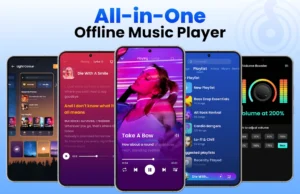
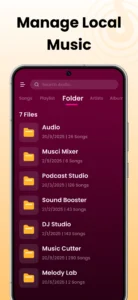
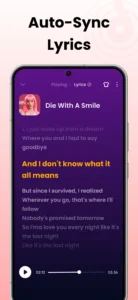
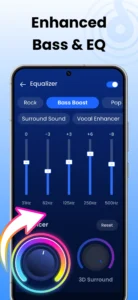
The app focuses on providing a clean, organized environment for your local audio files. A built-in music scanner automatically finds files on your device so you can start listening immediately. You can browse your collection by artist, album, genre, or specific folders, making it easy to find exactly what you want. The Offline Music Player: Play MP3 includes a powerful equalizer to adjust the sound output to your preference. You can also enable fade-in and fade-out effects for a smoother transition between tracks. For those who enjoy singing along, the app supports scrolling lyrics during playback. Additionally, you can create custom playlists for different activities, such as working out or studying, to match the mood of your day. The app also features an intelligent recommendation system that tracks your most played songs to help you discover your own favorites again.
Getting Started with Your Audio
To begin, download and install the APK on your device. Upon opening the app, you will need to grant permissions for it to access your media files. This is necessary so the app can scan your phone for MP3s and other supported audio formats. It also requests permissions for Bluetooth and network state to manage playback controls and ad-related services. You might also want to look into Sound Assistant to further refine your audio settings across your device. The app is built to be a simple, daily companion for your mobile media needs.
The app features a modern interface with over 20 themes, including light and dark modes. You can even set your favorite songs as ringtones directly from the player. If you want quick access, the customizable music widgets allow you to control your tracks from your home screen without opening the main app. By installing the Offline Music Player: Play MP3 APK, you gain a versatile tool that handles your media needs while keeping your phone organized and ready for your next listening session.
Quick Facts
Strengths and Limitations
Strengths:
- Supports multiple play modes including list loop, single-loop, and random shuffle.
- Includes a built-in equalizer for high-quality sound customization.
- Organizes music by tags, folders, artists, and albums.
- Provides more than 20 visual themes and convenient home screen widgets.
- Automatic playlist creation for your most played songs.
Limitations:
- The app is supported by ads.
- Requires several permissions to function, including media access, exact alarm scheduling, and notification management.
- In-app purchases are available for certain features.
Frequently Asked Questions
Is Offline Music Player: Play MP3 free to use?
Yes, the app is free to download and use, though it is supported by advertisements.
Can I use this app without an internet connection?
Yes, it is designed specifically as an offline music player, allowing you to listen to tracks stored locally on your device without using mobile data.
Does it support different audio formats?
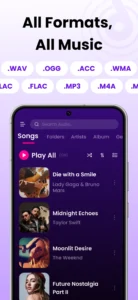
The app acts as a reliable media player supporting various file formats to ensure you can play your local music library with ease.
