

Real Chess 3.545
Alienforce
November 22, 2026
106.9 MB
3.545
Android 6.0
com.Alienforcegames.ChessFusionFree
RELATED APPS




SCREENSHOTS
DESCRIPTION
Get the Real Chess APK for Your Android Device
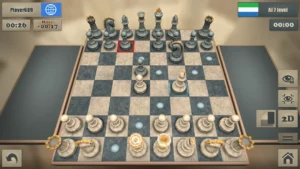
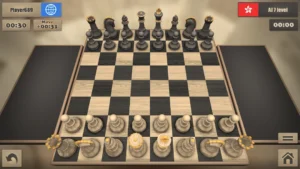
Finding a digital chess experience that feels authentic is often difficult. Real Chess solves this by bringing the classic board game into a modern 3D environment. Developed by Google Commerce Ltd, this application allows you to engage with the game through advanced visuals that mimic a physical chess set. When you download the Real Chess APK, you gain access to a platform that lets you play anywhere, whether you want to challenge your mind against an AI or connect with real people from around the world. With over 10 million installations, this app is a popular choice for strategy lovers who want a reliable and visually appealing way to play chess on their mobile devices.
Key Features of the Game
The app offers a variety of ways to play that cater to both beginners and experts. You can choose to face an artificial intelligence with 2400 levels of difficulty, ensuring you always have a challenge that matches your current skill level. For those learning the ropes, the app includes helpful hints that highlight possible moves, making it easier to understand the board. You can also explore different themes for your chess set and switch between 3D and 2D board perspectives to suit your visual preference. These features ensure that every match remains engaging, regardless of whether you are playing a quick game or a long, intense session.
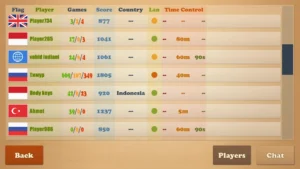
If you prefer human competition, the online gameplay feature connects you with over 1 million registered users. The matchmaking system finds opponents for you, and you can communicate using the built-in chat function during your games. This Real Chess APK provides a comprehensive suite of tools for any chess fan. For those interested in other competitive titles, Poker Heat™ Texas Holdem Poker offers a different kind of strategic experience. If you are looking for card game variety, Pusoy Dos ZingPlay – card game is another popular option available for your device.
Getting Started and Permissions
To begin playing Real Chess, simply download the file and follow the installation prompts. The app requires several permissions to function correctly, including internet access to facilitate online matches and network state monitoring for stable connectivity. It uses foreground services and wake locks to ensure your game remains active during play. Additionally, the application requests access to advertising services, as it is a free game supported by ads. You should ensure your device has enough storage for the 106.9 MB file size before starting the installation process. The app is built to be accessible, allowing you to quickly jump into a match once the initial setup is complete on your device.
Technical Specifications
Strengths and Limitations
- Advanced 3D graphics create a high-quality visual board experience.
- AI difficulty settings offer 2400 levels for all skill ranges.
- Supports both landscape and portrait screen orientations.
- Includes a built-in chat system for communicating with online opponents.
- The app is free but includes advertisements.
- Online features require a stable internet connection.
- Large file size may impact devices with limited storage.
- Requires various network and ad-related permissions to operate.
Frequently Asked Questions
Is Real Chess free to download?
Yes, the app is free to download and play, though it is supported by advertisements.
Can I play against human opponents?
Yes, the app features online matchmaking that lets you play against real people and chat with them during the game.
Does it work in portrait mode?
Yes, Real Chess supports both portrait and landscape screen modes, giving you flexibility while you play.
