


RELATED APPS




SCREENSHOTS
DESCRIPTION
Explore Musical Features with Real Piano APK
Real Piano is a versatile musical instrument application developed by Google Commerce Ltd. It serves as a complete keyboard simulator designed for pianists, performers, and beginners who want to practice music on their mobile devices. Whether you are looking to learn chords or simply enjoy playing melodies, this Real Piano APK provides a portable experience for your phone or tablet. The application focuses on helping you develop your musical abilities, allowing children and adults alike to learn while having fun. You can easily improve your intelligence levels through music while enjoying the variety of sounds available.
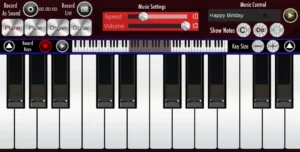
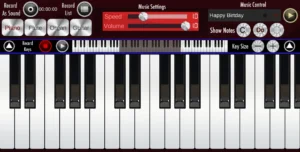
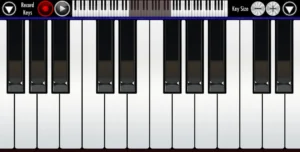
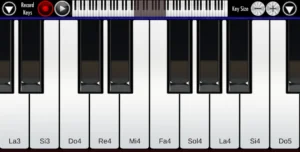
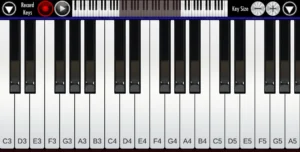
The app offers a full 88-key keyboard that mimics a real piano layout, complete with 7 octaves. It supports multitouch functionality, allowing you to play complex chords just as you would on a physical instrument. You can choose from multiple sound sets, including Grand Piano, Synth, Organ, Acoustic Guitar, and Flute. The studio audio quality ensures that every note you play sounds clear, making it a reliable tool for practicing music notes. By downloading the Real Piano APK, you gain access to a perfect keyboard set that fits right in your pocket. This tool is designed to work with all screen resolutions, ensuring that both cell phones and tablets provide a clear playing area.
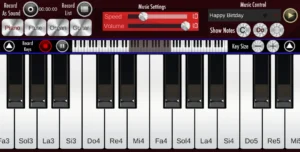
Customization is a key part of the experience. You can easily adjust the size of the piano using the dedicated plus and minus keys to fit your screen resolution. If you feel like testing your rhythm, you might enjoy the music-based Blink Hop: Tiles & Blackpink for a different auditory experience. The app also includes a recording mode, which lets you save your performances as sound files or keep track of touched keys. Once you are happy with your recording, you can share your music on social media. The loop playback feature allows you to practice over your own recorded tracks.
Getting Started with Real Piano
To begin using Real Piano, download the installation file and launch the app. It is designed to work across various screen resolutions, so it looks great on both phones and tablets. The interface is clean and accessible, meaning you can start playing immediately without complicated setup steps. Because this is a free app, you can start learning chords and notes the moment you open the interface. The app is highly intuitive, making it a great choice for amateurs who want to explore music theory.
The app requires several permissions to function correctly. It uses internet and network state permissions to support its features, including ad services. It also requests access to vibration and wake lock to ensure the app remains active while you are playing. These permissions are necessary for an app that provides free content supported by advertisements. If you want a break from music, you could also explore Poker Heat™ Texas Holdem Poker for card gaming.
Quick Facts
Strengths and Limitations
Strengths:
- Features a full 88-key keyboard with 7 octaves.
- Includes multiple instrument sounds like flute, organ, and guitar.
- Offers a recording function to save and share your music.
- Highly adjustable layout for different screen sizes.
- Supports multitouch for playing complex chords.
Limitations:
- The app is supported by advertisements.
- Requires various permissions for ad services and network connectivity.
This app is an excellent choice for anyone wanting to develop their musical abilities or teach children the basics of music in a fun way. Real Piano is best for users who want a free, accessible way to practice keyboard skills on the go. It may not be for musicians who require professional-grade music production software or individuals who prefer tactile physical instruments over a digital touchscreen interface.
Is Real Piano free to use?
Yes, Real Piano is free to download and use, though it is supported by advertisements.
Does the app work offline?
The app provides core piano functionality, but some features may require an internet connection, as indicated by its permissions.
Which Android versions are supported?
The developer does not specify a minimum Android version, but the app is designed to be compatible with a wide range of phones and tablets.
