


Screen Recorder:Video Recorder 1.7.3
Litter Penguin
November 26, 2026
21.6 MB
1.7.3
Android 5.0
tool.video.screen.recorder
RELATED APPS






SCREENSHOTS
DESCRIPTION
Capture Your Screen with Screen Recorder:Video Recorder APK
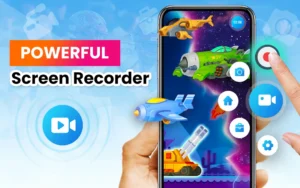
Screen Recorder:Video Recorder by Litter Penguin is a versatile tool designed to help you capture your Android device activity. If you are looking for the Screen Recorder:Video Recorder APK to manage your mobile media, this app provides a complete suite of features. Whether you are a gamer wanting to record your play sessions, a vlogger creating tutorials, or someone who needs to save live streams, this app provides professional results. It functions as both a high-quality video recorder and a capable editor, allowing you to manage your media without needing root access.
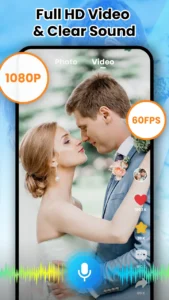
The app focuses on providing a smooth experience, offering support for high-quality video up to 1080p at 60fps. You can easily download games for android and record them with internal or external audio. Because the app includes no recording time limits and no watermarks, your final files remain clean and professional. It is a practical solution for anyone looking to document their mobile interactions in real-time. The Screen Recorder:Video Recorder APK ensures that you do not miss any wonderful moments while using your phone, as it works smoothly for video calls and live streams.
Key Features for Content Creators
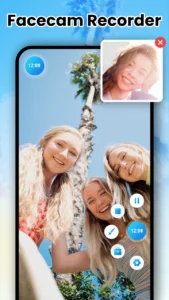
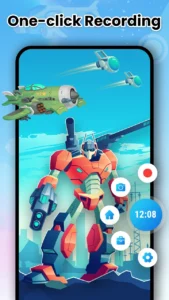
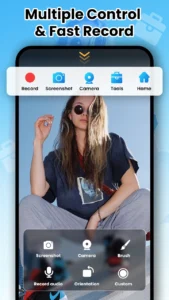
Beyond simple recording, the app includes a variety of tools to enhance your final output. The floating window allows you to start, pause, or stop recordings with a single tap, keeping your interface clear. You can also utilize the brush tool to doodle or write on the screen while you record, which is helpful for creating instructional content. For those who want to add a personal touch, the facecam feature lets you overlay your reactions while you capture the screen. You can even stop recording by simply shaking your phone, which adds convenience when you are busy gaming.
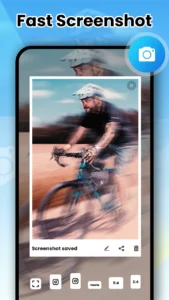
The built-in editing suite is quite extensive for a mobile tool. You can trim and merge video clips, convert your recordings into MP3 files, or turn specific segments into GIFs. If your file sizes are too large, the app includes compression options to help you save space without losing quality. You can also edit your screenshots with filters and stickers to make them stand out. If you need to manage your video library, you might also find YouTube Go: Discontinued to be an interesting reference point for older video handling tools, or explore Pure Tuber: YouTube Client for alternative viewing experiences.
Installation and Permissions
To begin using Screen Recorder:Video Recorder, ensure your device runs Android 5.0 or higher. The app requests several permissions to function correctly, including access to your camera and microphone for recording, and storage access to read and write media files. It also requires access to system overlay windows to display the floating control menu and status bar expansion. During setup, you can choose to save your files to either internal storage or an SD card, which is useful for managing device memory. The app also uses network state and Wi-Fi permissions to manage ad services efficiently.
Strengths and Limitations
Strengths:
- No recording time limits or watermarks on your videos.
- Supports high-quality recording up to 1080p, 16Mbps, and 60fps.
- Comprehensive built-in video and photo editor tools.
- No root access required for installation.
- Option to record internal or external sound sources.
Limitations:
- The app is supported by ads.
- Internal audio recording requires Android 10 or newer.
- Requires several system permissions to provide full functionality.
Frequently Asked Questions
Is Screen Recorder:Video Recorder free?
Yes, all features within the app are free to use.
Does this app work offline?
Yes, you can record your screen and edit videos without needing an active internet connection, though some ad-related services may require a connection.
Can I record internal audio?
Internal audio recording is supported for devices running Android 10 and above.
Will this app work on my device?
It is compatible with any Android device running version 5.0 or higher.
