


HD Video Player All Format 2.6.6
Litter Penguin
November 26, 2026
33.5 MB
2.6.6
Android 6.0
media.player.hd.video.player
RELATED APPS






SCREENSHOTS
DESCRIPTION
Get the HD Video Player All Format APK for Versatile Playback
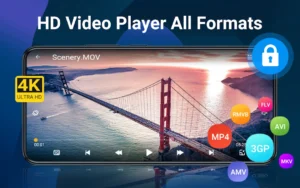
HD Video Player All Format is a powerful media playback tool designed for Android devices. Developed by Litter Penguin, this application acts as an all-in-one solution for watching high-definition, 4K, and Ultra HD video files. When you install the HD Video Player All Format APK, you gain a stable and fast viewing experience for everything from local SD card movies to network streaming protocols. It automatically detects your local media files, making your library easy to navigate and organize right from your phone or tablet.
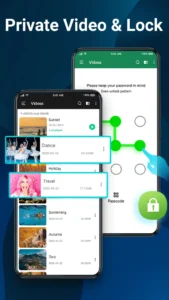
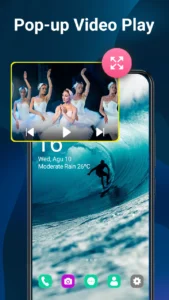
This application provides a wide range of features to improve how you watch media. You can utilize the smart floating window to watch videos while using other apps, or use background playback to listen to your media like a music player. For those concerned about privacy, the app includes a secure private folder where you can hide sensitive files behind a password. You can also play store app to find more utilities for your mobile device that help keep your digital files organized.
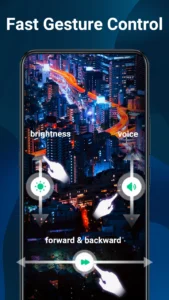
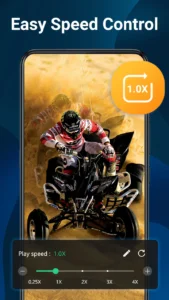
Customizing your viewing experience is simple with this player. It supports various subtitle formats, allowing you to search for and download subtitles online. Gesture controls make it easy to adjust brightness, volume, and playback speed, which ranges from 0.25x to 4.0x. You can also use the built-in equalizer, bass boost, and virtualizer to enhance your audio quality when listening to music or watching content. For users looking for specific alternatives, you might consider checking out YouTube Go: Discontinued for your streaming needs or Pure Tuber: YouTube Client for advanced playback options.
To get started, simply download and install the software. The app requires several permissions to function, including access to your internal and external storage to manage media files, as well as network and Bluetooth access for streaming and device connectivity. It also uses foreground services to ensure smooth playback and notifications to keep you updated on your media status. Once installed, the interface allows you to create playlists and resume videos exactly where you left off. The HD Video Player All Format also features a one-click video to audio converter, making it simple to turn your favorite clips into MP3 files for listening on the go.
Key Features for Every User
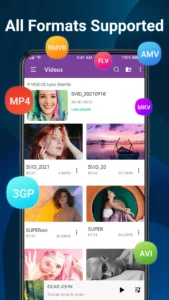
- Supports a massive range of formats including MKV, MP4, M4V, AVI, MOV, 3GP, FLV, WMV, RMVB, TS, and MPG.
- Smart floating window allows you to resize and move the player while chatting or browsing other apps.
- Advanced subtitle synchronization supports automatic searching and downloading of online subtitles.
- Built-in hardware acceleration ensures smooth 4K and Ultra HD playback without stuttering.
- Night mode protection and sleep timer functionality for comfortable viewing at any hour.
Strengths and Limitations
- Supports a massive range of formats including MKV, MP4, AVI, and 4K/Ultra HD files.
- Includes advanced features like hardware acceleration, private folders, and subtitle synchronization.
- The free version is supported by advertisements.
- Requires numerous system permissions to manage files and network connections.
Who Should Install It?
This app is ideal for users who need a powerful, all-format player that can handle high-resolution videos and manage local media files. If you frequently watch content with subtitles or require privacy features like password-protected folders, this player provides the necessary tools. Users who need a dedicated music player with an equalizer will also find the audio features useful, as the app supports high-quality playback for MP3 and M4A files.
Frequently Asked Questions
Is HD Video Player All Format free to use?
Yes, the app is free to download and use, though it is supported by advertisements.
Does it work offline?
Yes, it is designed to auto-detect and play local media files stored on your Android device or SD card without needing a constant internet connection.
Which Android version is required?
You must be running Android 6.0 or higher to install and operate this application.
