


FilmoraHD - AI Video Creator 13.8.71
November 26, 2026
117.2 MB
13.8.71
Android 7.0
com.wondershare.filmora
RELATED APPS




SCREENSHOTS
DESCRIPTION
Getting Started with FilmoraHD – AI Video Creator APK
To begin editing your videos, download the FilmoraHD – AI Video Creator APK and follow the installation prompts on your Android device. Once installed, the app requires several permissions to function effectively. It needs access to your camera and microphone for recording media, as well as your storage to read and edit existing video, image, and audio files. The app also requests network state and Wi-Fi information to handle cloud-based AI features and project syncing. It also interacts with various launcher settings to manage shortcuts and interface integration.
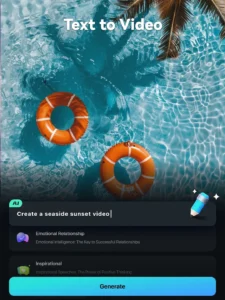
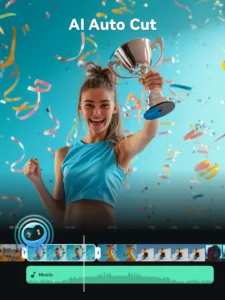
This play store alternative offers a range of tools that cater to both beginners and advanced editors. For those who want to create content quickly, the AI Auto Cut and Text to Video features simplify the production process. If you are looking for more specific tools, you might also want to check out Pure Tuber: YouTube Client for your video viewing needs.
Core Video Editing Features
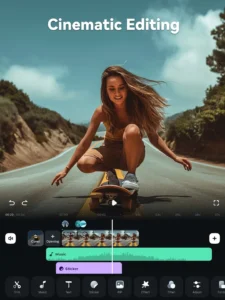
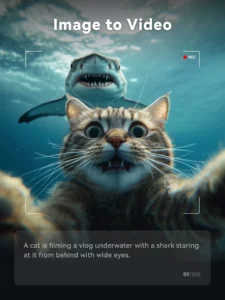
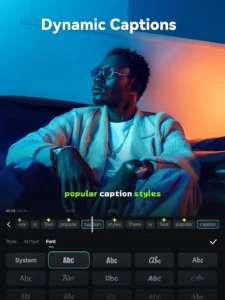
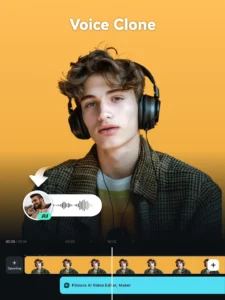
FilmoraHD – AI Video Creator provides a comprehensive suite of AI-powered tools. You can use AI Remover to clear unwanted elements from your clips or utilize Dynamic Captions to turn your speech into text automatically. The app also supports AI Voice Cloning and Text to Speech, which helps you generate professional voiceovers without needing your own recording equipment. For visual flair, you can use the Rhythm Master feature to sync your video cuts to the beat of your music. These features are designed to help you produce high-quality content for platforms like TikTok, Instagram Reels, and YouTube Shorts. The AI Video Effects, such as Infinite Zoom and AI Show, allow you to transform photos into stylized clips with just one click.
Professional Editing Tools
Beyond the AI features, the app includes advanced manual editing controls. You can work with keyframes to animate effects, apply color grading, or use the Speed Curve tool to create custom slow or fast-motion transitions. The Picture in Picture (PIP) functionality allows for layering multiple videos and images, while the masking tool helps you blend different clips together. Smart tracking is also available to follow faces or objects across your frames. If you need to manage your mobile data while watching content, you might consider downloading YouTube Go: Discontinued to see if it fits your workflow.
Quick Facts
Strengths and Limitations
- Powerful AI features like voice cloning and automatic beat-matching.
- Professional tools such as keyframing, masking, and speed curves.
- Beginner-friendly templates for quick social media content.
- Support for various video ratios for TikTok and Instagram.
- Requires a subscription for full access to all materials and watermark removal.
- Extensive permission requests due to the variety of integrated tools.
- Some advanced features may require a stable internet connection.
- Large file size compared to basic video trimmers.
Who Should Install It?
This app is ideal for content creators, vloggers, and social media enthusiasts who want a mobile-first editor with advanced AI capabilities. It is well-suited for those who frequently edit Reels, TikToks, or YouTube shorts. If you prefer a simple, no-frills trimming tool, you may find the feature set overwhelming. FilmoraHD – AI Video Creator is also a great choice if you want to explore professional-grade features like keyframe animation and masking on your phone.
Frequently Asked Questions
Is FilmoraHD – AI Video Creator free?
Yes, the app is free to download and use, though it offers an optional Filmora Pro subscription that removes watermarks and provides access to premium editing materials.
Does it work offline?
Some features, particularly those involving cloud-based AI processing, require an active internet connection.
Which Android version is required?
This app requires Android 7.0 or higher.
