

RELATED APPS




SCREENSHOTS

DESCRIPTION
Editing Videos with Adobe Premiere: Video Editor APK
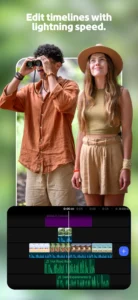
If you are a content creator looking for a professional-grade mobile tool, Adobe Premiere: Video Editor offers a powerful solution for your Android device. Developed by Adobe, this application provides a multi-track timeline that allows you to manage complex projects for platforms like YouTube, TikTok, and Instagram. Whether you are a beginner or an experienced editor, this app focuses on providing speed and precision for every cut. The app is built natively on Android to ensure fast performance, allowing you to export your final videos in 4K resolution. This ensures that your mobile projects maintain clarity and professional quality.
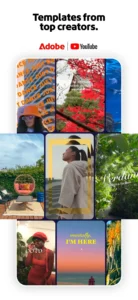
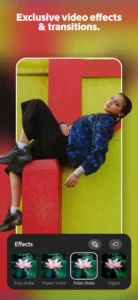
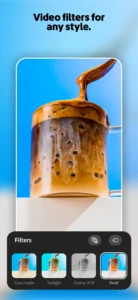
The app features a wide range of tools designed to simplify your workflow. You can perform frame-accurate edits by trimming or splitting clips to highlight specific moments. The software includes YouTube Shorts integration with remixable templates to help you get started quickly. You can also apply unique color presets, including those from Adobe Lightroom, to ensure your videos maintain a consistent aesthetic. When you need to browse more tools, you can always visit whats download to find other utilities for your device. The adaptive user interface ensures that your most-used movie maker tools are always accessible in one place.
Key Features for Mobile Creators
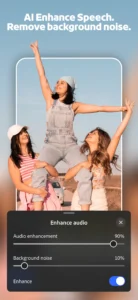
Adobe Premiere: Video Editor stands out by offering studio-quality audio enhancements. You can use AI to enhance speech, creating professional-sounding voiceovers directly from your phone. Additionally, the app features an AI video editing generator powered by Adobe Firefly, which allows you to create unique images from text prompts. The multi-track timeline supports unlimited layers, giving you total control over how you overlay clips and organize your content. You can also adjust speed effects, including slowing down or freezing key moments to add impact to your narratives.
For those who need to manage their library, the app allows you to import assets from your device or cloud storage. Users who enjoy this app might also find YouTube Go: Discontinued useful for managing their mobile video library, or they may prefer the features found in Pure Tuber: YouTube Client for alternative viewing experiences. The app respects creator content ownership, meaning Adobe never trains its AI models on your personal user content.
Getting Started and Permissions
To begin, download the Adobe Premiere: Video Editor APK and ensure your device has at least 5GB of RAM. Upon installation, the app will request various permissions to function correctly. These include access to your media files for editing, microphone access for recording voiceovers, and internet access for cloud features. It also uses biometric sensors for security and requires foreground service and data sync permissions to handle video processing tasks efficiently in the background. The app uses notification permissions to alert you when your 4K exports are finished.
Technical Specifications
Strengths and Limitations
- No ads or watermarks on exported videos.
- Professional-grade multi-track timeline with unlimited layers.
- Powerful AI voice enhancement and generative tools.
- Fresh video creator-made templates for quick drafts.
- Direct 4K video export support.
- Requires a device with 5GB of RAM or more.
- Generative AI features may require paid credits.
- Not suitable for devices with low memory capacity.
Who Should Install This App?
This application is ideal for creators who need an ad-free environment to produce high-quality videos on the go. If you are already familiar with Adobe software or want to step up from basic mobile editors, this provides the necessary control. However, if your device has less than 5GB of RAM, this app will not meet your hardware requirements and you should look for lighter alternatives.
Is the app free to use?
Yes, the core video editing tools are free. You only need to pay if you choose to use the Firefly generative AI credits.
Does it work offline?
You can edit projects locally using files stored on your device, though some AI features may require an internet connection.
Which Android version is required?
The app is designed for modern Android devices. While a specific minimum OS version is not provided, you must ensure your device has at least 5GB of RAM available to run the software properly.
APP TRAILER
