

Terraria 1.4.5.8.6
505 Games Srl
November 22, 2026
176.3 MB
1.4.5.8.6
Android 6.0
com.and.games505.TerrariaPaid
RELATED APPS





SCREENSHOTS
DESCRIPTION
Getting Started with the Terraria APK
To begin your journey in Terraria, you must purchase the game through your official app store. Once the download is complete, the Terraria APK installs directly onto your device. Because this is a premium title, the app requires the license check permission to verify your purchase. It also uses internet access and network state permissions to facilitate multiplayer connections, allowing you to join friends in your custom worlds. Setting up your character and world is easy, with a new world creation menu that allows you to mix and match special seeds for unique gameplay experiences.
The game is designed for mobile play with fully customizable controls and a specialized interface. If you prefer physical controls, Terraria supports Bluetooth gamepads with remappable buttons. Whether you are building complex structures or exploring deep caverns, these settings ensure you can play the way that feels best for you. The game offers full world size options, including small, medium, and large maps, providing the same scale found on the PC version. This ensures that your mobile experience matches the depth of the original release.
Massive Content and Exploration
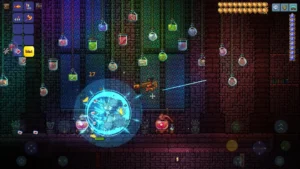
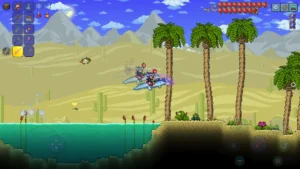
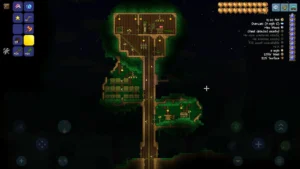
This sandbox adventure offers an enormous amount of content, featuring over 5,000 items and 400 enemies to encounter. You can explore more than 20 distinct biomes, ranging from lush forests to dangerous dungeons and the underworld. The latest version adds new world seeds, including a Skyblock option. If you like open-world physics and creative play, consider Wobbly Life to expand your collection of adventure titles.
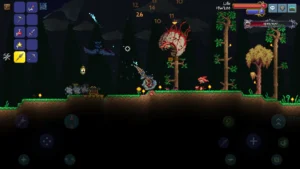
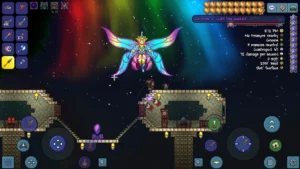
Combat is a core part of the experience, with new weapons and accessories added in recent updates. You can summon unique critters, use new whips, or face off against challenging bosses. If you prefer social gameplay, you can connect with up to seven friends via local Wi-Fi or online hosted games. For those who like massive multiplayer sandboxes, Roblox offers a different take on user-generated content for your Android device.
Building and Crafting Systems
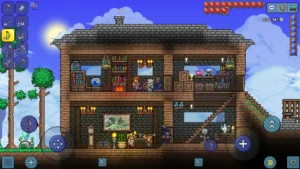
Building in Terraria is accessible for newcomers but deep enough for experienced architects. You can construct entire cities, defensive outposts, or decorative structures using the game’s extensive crafting system. With over 1,000 new items added recently, your options for furniture and base design have never been larger. The game rewards you for digging deep and finding rare materials to upgrade your gear, ensuring that every expedition brings new possibilities.
The new 1.4.5 update adds fifteen new furniture sets and five new types of boulders, adding more danger and creativity to your builds. You can also utilize four new transformation mounts to navigate your world faster. These additions make the construction process more engaging, allowing you to create truly unique structures within your custom worlds.
Terraria Quick Facts
Strengths and Limitations
- Over 5,000 items and 400 enemies provide near-infinite replayability.
- Flexible control schemes including gamepad support.
- Full array of world sizes available for mobile.
- Over 20 biomes to discover and explore.
- Paid title without in-app purchases or ads.
- Requires a stable internet connection for multiplayer features.
- License verification requires an active store connection.
Frequently Asked Questions
Is Terraria free to play?
No, Terraria is a paid game. You must purchase it to install and play.
Can I play this game offline?
You can play the single-player adventure offline, though an internet connection is required for initial license validation and for hosting or joining multiplayer sessions.
Does this game support external controllers?
Yes, the game features full gamepad support, including the ability to remap buttons for your Bluetooth controller.
APP TRAILER
