

To-Do List - Schedule Planner 1.03.44.1112
November 22, 2026
53.2 MB
1.03.44.1112
todolist.scheduleplanner.dailyplanner.todo.reminders
RELATED APPS






SCREENSHOTS
DESCRIPTION
Managing Your Daily Schedule with To-Do List – Schedule Planner APK
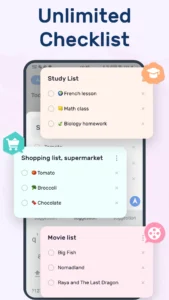
Have you ever forgotten an important work deadline or a special anniversary for your family? Keeping track of every responsibility can be difficult, but To-Do List – Schedule Planner is designed to solve this problem. This application acts as a central hub for your tasks, helping you manage time and maintain an organized lifestyle through an efficient interface. When you use the To-Do List – Schedule Planner APK, you gain access to a tool that helps you capture ideas or chores before they slip your mind. Whether you need to organize study goals or professional routines, this tool provides the structure required to stay focused throughout your day.
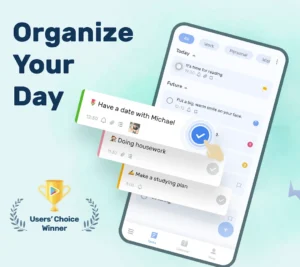
The application is designed to be user-friendly, allowing you to create new lists in just two steps. By using this To-Do List – Schedule Planner APK, you can ensure that your personal and professional life remains balanced. The app also features AI-driven tools that serve as an AI schedule planner and AI task manager, helping you organize your daily routines and goals with intelligence. Capturing tasks before they are forgotten is a primary benefit for users who need to maintain high levels of productivity.
Key Features for Task Management
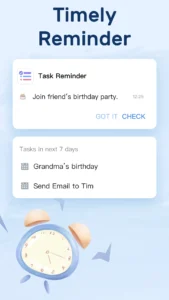
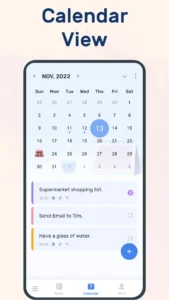
To-Do List – Schedule Planner includes several tools to help you track your progress. You can set task reminders with alarms to ensure you never miss an important meeting, and the app supports recurring reminders for those tasks you perform every day or week. The calendar view allows you to see your daily, weekly, and monthly plans at a glance, providing a clear perspective on your upcoming responsibilities. You can even track your task completion status directly on the MINE page.
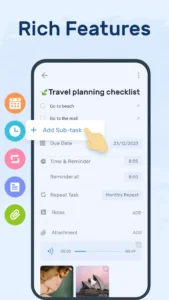
To help you prioritize, the app lets you star important tasks and categorize your lists. You can even add sub-tasks to larger projects to keep everything manageable. If you want to keep your data safe, the app supports syncing your lists to the cloud via Google Drive, which also allows you to manage your schedule across different devices, including your Wear OS watch. The interface is highly customizable with various theme colors and a dark mode, which is helpful for planning at night.
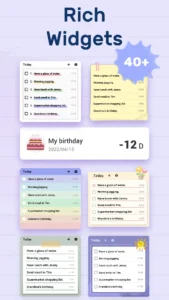
You can also use the daily widget on your phone screen to quickly mark tasks as complete without opening the full application. For those who need extra support, these features help build consistent routines. If you find you need to collaborate with others or share documents, you might also consider tools like Google Meet for video meetings or MediaFire for cloud storage backups. These apps complement your productivity workflow.
Getting Started and Permissions
To begin, simply download and install the application. Because the app helps you manage your time and contacts, it requests various permissions. These include access to your calendar for scheduling, internet access for cloud synchronization, and notification permissions to ensure your alarms trigger correctly. It also uses storage and media permissions to manage data and audio files, along with device settings like vibration and wake-lock to support reliable reminders. The app also requests permissions related to fingerprint authentication and specific alarm usage to ensure your schedule is secure and timely.
Quick Facts
Strengths and Limitations
Strengths:
- Simple, user-friendly interface that allows for quick task creation in two steps.
- Comprehensive reminder system with alarms and support for recurring tasks.
- Visual tracking through the calendar view and progress reports on the MINE page.
- Cross-device synchronization via Google Drive and support for Wear OS.
- AI-powered planning tools to assist with daily routines and goals.
Limitations:
- The app is supported by advertisements.
- Requires a wide range of permissions to function, including access to calendar and media files.
- Contains in-app purchases.
Is the app free to use?
Yes, the app is free to download and use, though it includes advertisements within the interface and offers in-app purchases.
Can I use this app offline?
Yes, you can manage your local to-do lists without an active internet connection, though syncing to Google Drive requires connectivity.
Does this app work with my watch?
Yes, the application supports Wear OS, allowing you to manage your schedule from your wrist.
