


UC Browser-Safe, Fast, Private 15.3.5.1411
UCWeb Singapore Pte. Ltd.
November 22, 2026
220.9 MB
15.3.5.1411
com.UCMobile.intl
RELATED APPS






SCREENSHOTS
DESCRIPTION
What is the UC Browser-Safe, Fast, Private APK?
Are you looking for a mobile browser that prioritizes speed and privacy while offering advanced features like AI integration? UC Browser-Safe, Fast, Private, developed by UCWeb Singapore Pte. Ltd., is a mobile web browser designed to handle your daily online needs. By downloading the UC Browser-Safe, Fast, Private APK, you get a suite of tools including a built-in VPN, ad blocker, and AI-powered notes, making it more than just a standard window to the internet.
This browser aims to simplify your mobile life by combining search, content downloading, and cloud storage into one application. Whether you need to save videos for offline viewing or require real-time translation for global web content, this tool offers a versatile environment for your smartphone. Using the UC Browser-Safe, Fast, Private APK provides a comprehensive approach to mobile web navigation.
Key Features of the Browser
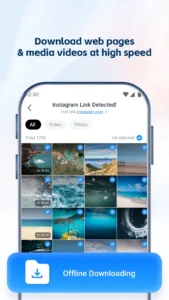
The app includes an integrated video downloader that allows you to save content directly to your device for offline streaming. This helps you manage your data usage and organize your media library. You can also utilize the built-in ad blocker, which removes annoying pop-ups and website advertisements to ensure faster page loading and a cleaner interface.
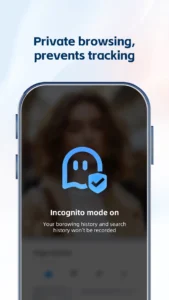
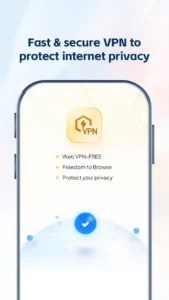
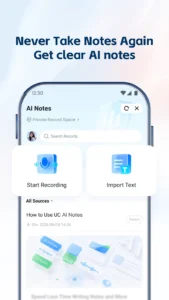
Security is a key aspect, with a private browsing mode that hides your online activity. The browser includes a VPN feature to encrypt your data and protect your IP address while you access the global internet. Additionally, you can use the AI-powered note-taking tool, which records, transcribes, and summarizes meetings with high accuracy, keeping your data secure through end-to-end encryption.
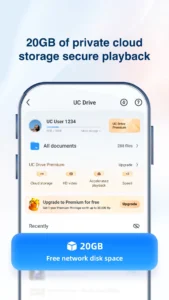
For those who need to manage large files, the app provides 20GB of cloud storage via UC Drive. You can keep your documents and videos organized and accessible from any location. If you frequently communicate with others, you might also find Telegram useful for secure cloud-based messaging. Meanwhile, if you prefer a standard search experience, Google Chrome: Fast & Secure remains a common alternative for Android users.
Getting Started and Permissions
To begin using UC Browser-Safe, Fast, Private, simply download the APK and install it on your Android device. Upon opening the app for the first time, you may be prompted to grant various permissions required for its functionality. These include access to your camera and microphone for AI features, storage permissions to manage your downloaded files, and network state access to maintain a consistent connection.
The app also requests access to your accounts and launcher settings to provide a more personalized browsing experience. Always review these permissions in your device settings to ensure you are comfortable with the level of access provided to the browser.
Strengths and Limitations
Strengths:
- Includes a built-in ad blocker for a distraction-free experience.
- Offers 20GB of cloud storage for files and media.
- Features AI-driven tools for note-taking and document translation.
- Provides an integrated VPN for enhanced privacy.
Limitations:
- The app is supported by ads.
- It requires a wide range of permissions to function fully.
- The file size is relatively large compared to basic browsers.
Who Should Use This App?
This browser is ideal for power users who want a single app that manages downloads, cloud storage, and AI tasks alongside web browsing. If you often watch videos offline or need to keep your meetings organized with transcriptions, UC Browser-Safe, Fast, Private is a strong choice. It is less suitable for users who prefer a minimal, lightweight browser with no extra features or those who are uncomfortable with the extensive permission requirements.
Is the app free to use?
Yes, UC Browser-Safe, Fast, Private is free to download and use, though it includes ads within the interface.
Does it work offline?
While the browser requires an internet connection to load pages, you can access videos and files you have previously downloaded through the integrated downloader and UC Drive while offline.
What is the latest version available?
The current version is 15.3.5.1411, updated on Nov 13, 2026.
APP TRAILER
